Process Standards: Digital Print Check
Digital print process standards need to be aligned with an internal reference file. For coated printing materials (paper types 1 and 2 and PS1), this internal reference is usually the FOGRA39L file describing the ISO12647-2 (or IT8.7/4) test chart. The internal reference for uncoated printing materials is the FOGRA47L file.
The following check dialogs are feasible for digital printing process standards:
•Process standard
•Color Values and
•Printing Materials
Digital print and proof standards are similar, but differ when it comes to calculating the elements. Digital print only applies the new E00 color distance.
The digital print process standard uses 3 parallel tolerance classes and 3 different quality levels checked in parallel:
•A = high: top quality meeting proof quality requirements
•B = good: digital printing is to match offset print quality. Meets the quality requirements in most cases.
•C = acceptable: This quality level meets office requirements.
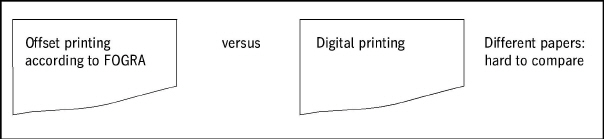
Two different comparison/check approaches are introduced for the digital print standard:
•Side-by-side: classical approach; offset and digital printing side by side
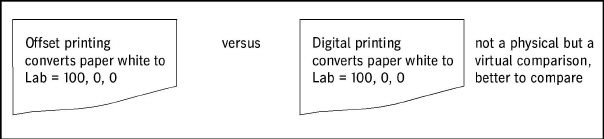
•Media-relative: Comparison with converted and matched paper in order to compensate for the differences in the printing material.
Standard check for a mini spot test strip
•You measure or open a mini spot test strip matched to digital printing and determine / check:
•The quality of your digital printing paper white.
•The quality of the primary and secondary colors.
•You determine averages of all color patch deviations (from the internal reference file) and the maximum deviation from the internal reference.
•The hue deviations and the resulting average of "almost neutral" patches are also determined.
Advanced evaluation of test charts
The advanced evaluation uses a test chart that has a much greater number of dots than the mini spots mentioned before. This chart is used for the adjustment process, i.e. for the determination and iterative correction of the proof profile. This check is much more thorough and offers additional checks because a much greater number of dots is measured:
•All dots of the test chart are included, the deviations of all test values from the internal reference file are calculated, and the resulting mean values must fall below a maximum threshold.
•Then, the saturated colored dots of the test chart determined by the standard are included. The mean deviations from the internal reference are calculated and must fall below a second threshold.
•Then, the deviations of all dots from the internal reference are calculated and sorted in ascending order. The 95% limit of deviations must fall below a certain value.
Supported mini spots and test charts
The following mini spot test strips are normally used for a standard digital printing check:
•FOGRA MKV test strip v3

in the US
•IDE Alliance test strip 2009

•IDE Alliance test strip 2013

These US mini spot test strips contain additional gray dots not present in FOGRA MKV and IT8.7/4.
For setup and profile generation, the ISO12647-7 standard requires the advanced evaluation. For this advanced evaluation, you usually need the standard test chart ISO 12642-2=IT8.7/4 (in visual or random style).
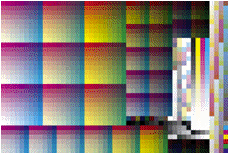
You can also use the ECI2002 test chart for this purpose.

Note: A warning is issued if you use another mini spot test strip or a test chart type that is not ideal for a proof check.
Select process standard for checking
The "digital printing process standard" is selected as the reference for checking digital printing because all the checks are pooled in "Measure". Prinect Color Toolbox supports several types of process standards. For this reason, you must select a digital printing process standard when checking digital printing.
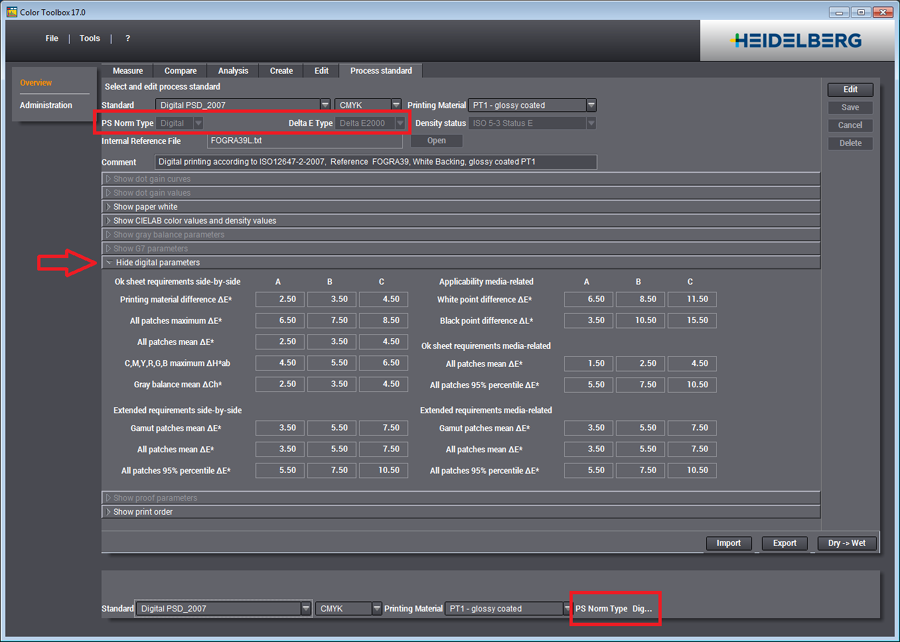
A digital printing check being edited is indicated as "PS Norm Type: Digital".
The new "Digital Parameters" section is operable only if the "Digital" type is selected.
The left part of the section contains the parameters for the "Side-by-side" check, the right part the parameters for the "Media-relative" check.
The parameters for the standard check are accessible in the upper part of this parameter section. Additional parameters for the advanced evaluation are located in the lower part of the parameter section.
Digital print process standards need to be aligned with an internal reference file. For coated printing materials (paper types 1 and 2 and — with a future process standard — PS1), this internal reference is usually the FOGRA39L file describing the ISO12647-2 (or IT8.7/4) test chart. The internal reference for uncoated printing materials is the FOGRA47L file.
Measuring a Digital Press with the Digital Printing Standard
1.Digital presses use inks different from those of offset presses and therefore feature an integrated color management to match the digital printing result to that of offset printing. Usually, the document is converted from the offset color space to the CIELab color space, and then to the digital printing color space. Because of the different properties of the used printing materials, the applied "Rendering Intent" is "relative". Offset printing uses other papers than digital printing.
For this reason, first print the "FOGRA MKV v3" control strip or the "ISO 12642-2 = IT8.7/4" test chart on your digital press, with the internal color management of the digital press enabled.
2.Measure the print result. Apply the "ISO13655.2009" measurement method in mode M0 or M1.
3.In Prinect Color Toolbox, select the internal reference file "FOGRA39" and open the measurement file.
4.Evaluate the results of the quality measurements in "Process standard": levels A, B and C and check, which quality level is met.