
Prerequisite: Before calibration, print at least 200 sheets to warm up the press.
1.Select a printing material type that matches the printing material you will calibrate.
2.Click "Copy".
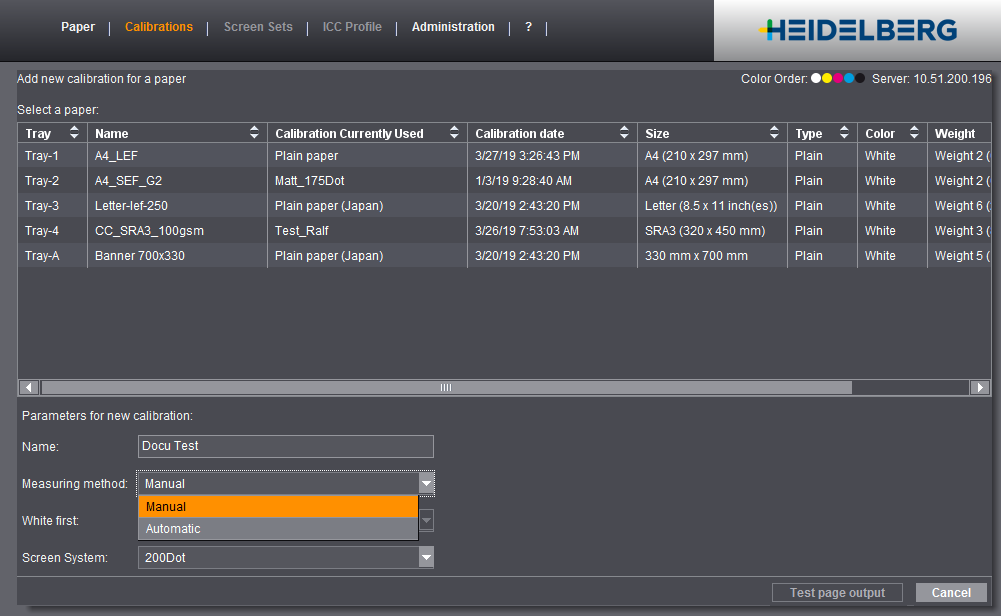
3.Select the tray in which the printing material is loaded.
4.In "Parameters for new calibration", give the new calibration a name.
5.Select the measuring method for measurement and the screen system you want.
If you select "Manual" as the method, you will have a calibration that you can recalibrate only manually. You must select "Automatic" if you want to create a calibration that can be recalibrated later via the inline sensor.
The first measurement for a new calibration must always be manual.
6.Click "Test page output".
Recommendation: Set "High" in "Accuracy" for greater measuring accuracy. Then several CMYK strips are printed for measuring. You should print at least 10 sheets to minimize color deviations during output.
7.Set the "Output Tray".
(8).If the press (lasers and inking) is to be linearized before output, select "High Quality" in "Engine adjustments". Generally, the "Standard" setting is sufficient for calibration. The "High Quality" setting is needed mainly in the case of great color deviations.
9.Click "Print" to start output of the calibration sheets.
Standard test page (left "Manual", right "Automatic"):
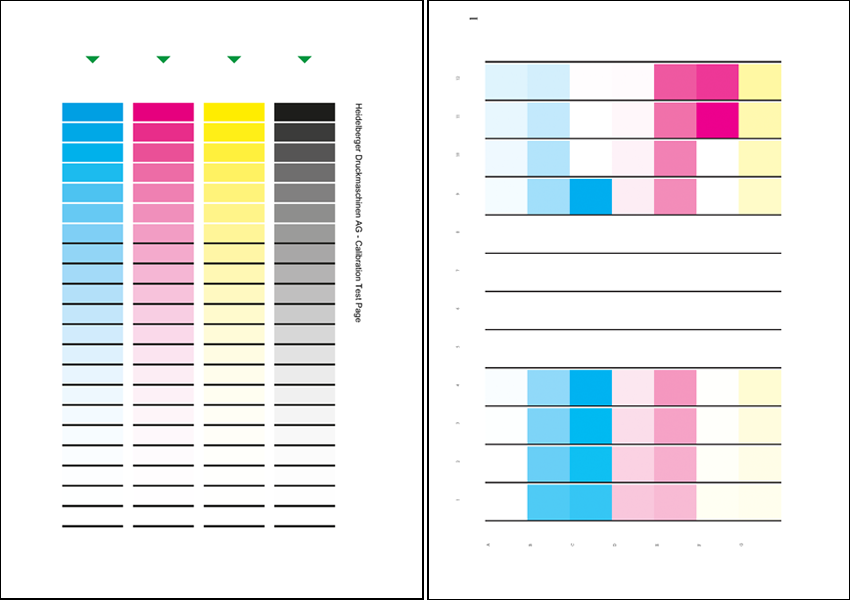

Note: The test pages for the "Automatic" measuring method differ according to machine and to the array of the sensors of the inline color control. In the example on the right, the first test page shown is of a Versafire EV. A different number of test pages is printed depending on the machine and selected paper size.
10.Click "Measure" and in the next step select the measuring device used.
11.Calibrate the measuring device by clicking "Calibrate Measuring Device".
12.Set the accuracy in the "Measure" dialog.
•Each color is measured once with "Standard".
•With "High", you must measure all the color patches if you have a manual calibration.
•You must measure all the pages with "High" and "Automatic" as the measuring method.
13.Measure the sheet(s) with a colorimeter. For hand-held instruments, make sure to use a neutral light background, for example, some unprinted sheets of the same printing material.
14.Finally, click "Apply".