
Launch "Register Control" by clicking the icon shown to the left or selecting "Plug-Ins > Prinect 2020 > Register Control".
Register Control is a tool that lets you verify positions on press sheets and on single PDF pages. You can, for example, place front and back sheets or pages on top of each other to verify register accuracy. Basically, you simulate a double-sided sheet, e.g. two A4 pages one on top of the other.
You can save the result of the superimposed pages of the various files. This lets you, for example, add trim marks or mount different language versions on one basic layer.
|
|
Launch "Register Control" by clicking the icon shown to the left or selecting "Plug-Ins > Prinect 2020 > Register Control". |
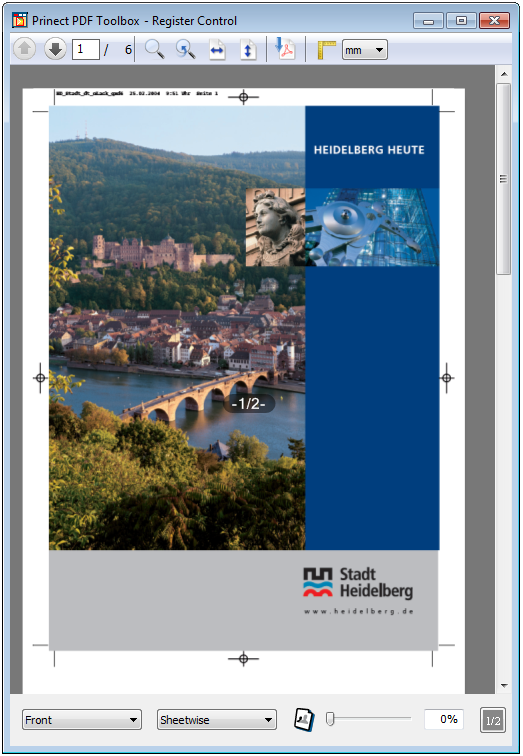
1.A window opens, displaying the first page (front) of the document:

2.Select "Back" for [1].

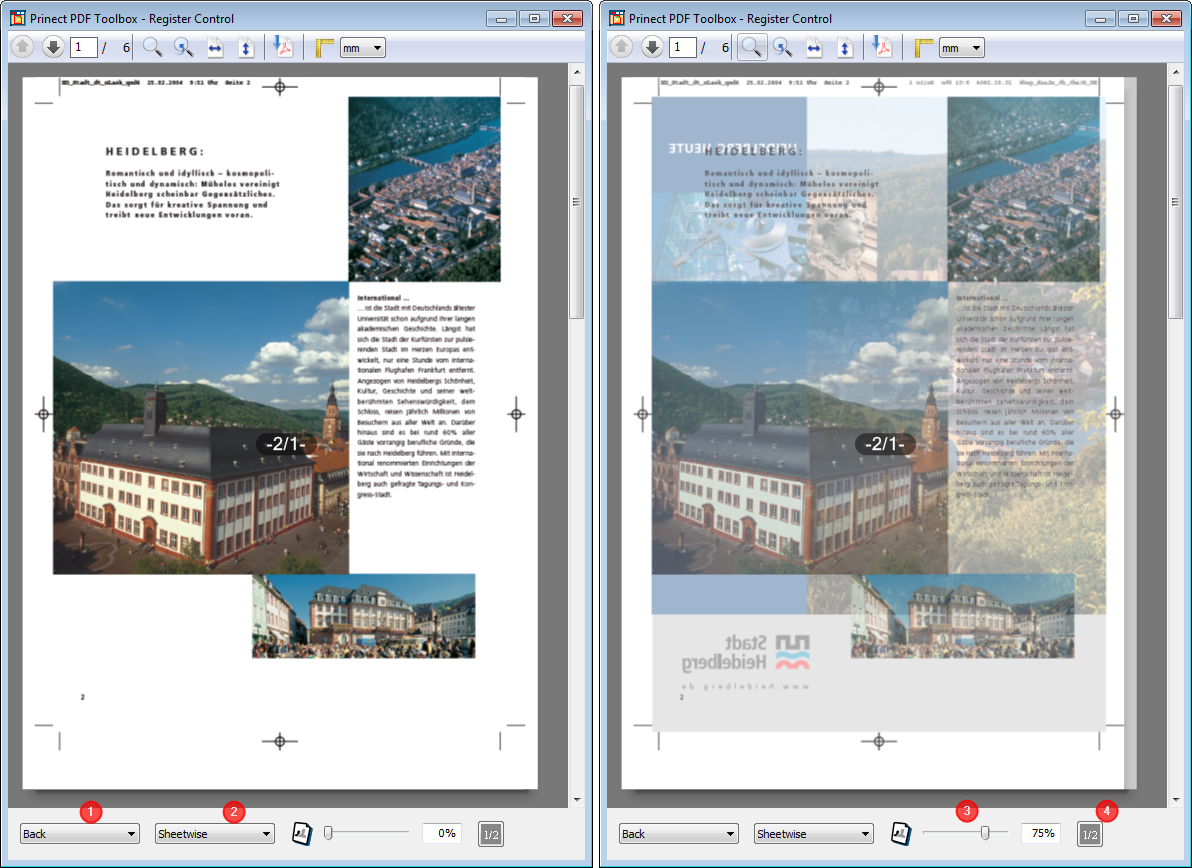
3.Select "Tumble" for [2] to place the added page on the current page mirrored on the x-axis. Select "Sheetwise" to mirror it on the y axis.
4.You can use the slider [3] for the transparency to check whether the pages are placed one on top of the other like in the TrimBox.
5.You can hide the number of pages shown in the middle by clicking the button [4].
You can scale the pages up and down also using the buttons in the toolbar or with the functions in the context-sensitive menu as well as select "Previous View". In addition, you can also change the zoom factor using the keyboard:
•Macintosh: Cmd + ’+’ and Cmd + ’-’
Example of Use of Register Control
Verify the position of trim marks
Move the slider exactly to the middle to verify the register accuracy of trim marks on imposed sheets.
HD Privacy Statement | Imprint | Prinect Know How