Why Use Prinect Portal?
Prinect Portal is a web-based application developed by Heidelberger Druckmaschinen. Operation of functions and the display of data in the entire Prinect system are done through widgets. These are clearly arranged on definable dashboards (overview of groups of widgets).
Prinect Portal replaces all existing portals as of Prinect version 2018. It bundles the various browser-based Prinect portals that have existed to date (e.g. "Prinect Remote Access" or the Prinect Business Manager options, "Customer Portal", "Sales Portal" and "Estimation Portal").
Prinect Portal can run as an internal variant (access only via intranet, this means access only by local members of staff) or as an external variant (access via intranet and Internet, in this case access also by customers and sales representatives).
The configuration of Prinect Portal is flexible. The scope of functions users have is defined by their user permissions. A personal work environment reflecting the user's field of business activity displays fast and is easy to follow in a user-specific dashboard.
Using Prinect Portal, you have access to data and functions from the Prinect Business Manager and the Prinect Integration Manager. In addition, in Prinect Portal you have the option of handling the permissions management for all of the Prinect system.
As a further option, you can use the Wallscreen XL to access information and functions from the Prinect production workflow for the respective machine. More details can be found in Widgets on the Wallscreen.
For example, a salesperson in a print shop can access all the data of a customer on his/her laptop or tablet, data that are made available by the Prinect Business Manager and the Prinect Integration Manager (current order volume, credit limit, type of jobs, current production status, etc.).
The functionality is more restricted if the Prinect Business Manager or the Prinect Integration Manager is not available.
Furthermore, standardized workflows can be predefined (in the Prinect Business Manager and/or Prinect Integration Manager) that then only have to be controlled and started in Prinect Portal by the persons responsible.
This gives users a wide range of options for optimizing workflows and minimizing sources of errors.
The "External" variant makes it possible for print shop customers to access the Portal through the Internet and create jobs, upload and approve data. The Portal can be accessed round the clock 7 days a week! Even in the external section of the Portal, jobs can be processed automatically up to a certain degree, depending on the standardization of the system.
The production times are noticeably shorter. Using soft proofs, users can approve pages, sheets and products fast and conveniently on their own monitor. The proof and output are then generated automatically by the RIP.
Each user has his/her own dashboard (overview page) on which widgets (functional units, workflows) are placed. When a user log ins, Prinect Portal starts automatically at the user's customized dashboard and work can begin.
Settings must be made in the Prinect system on the part of Prinect Portal, the Prinect Integration Manager and the Prinect Business Manager to make sure that working with Prinect Portal runs smoothly. These settings are explained in the relevant documentation.
The widgets that are available depend on the Prinect licenses.
In the "Video Tutorials" chapter, you will find videos that show you how to handle the Prinect Portal.
Brief Overview of the User Interface
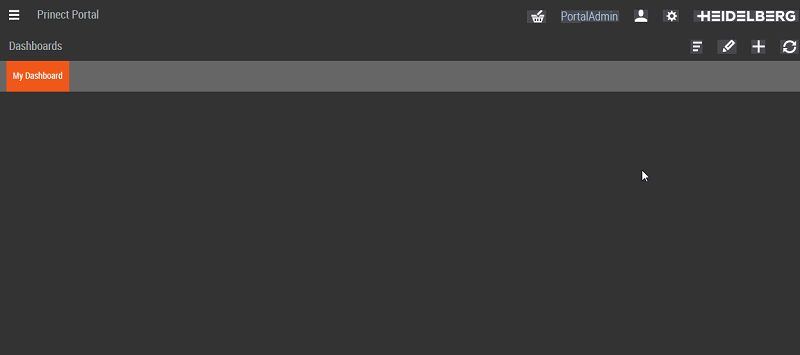
Empty dashboard (overview page)
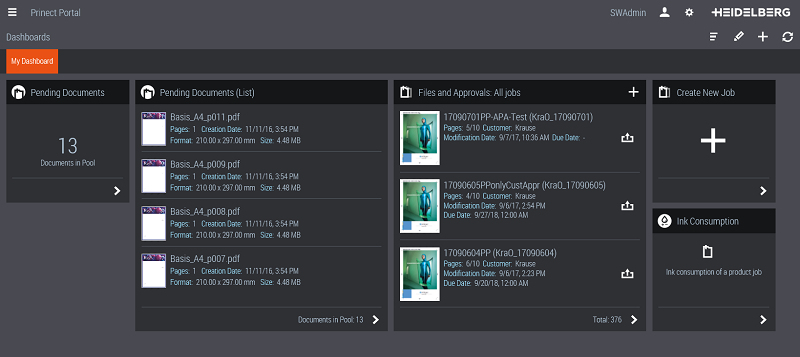
Dashboard for production with some widgets