
Flaps for hardcover and softcover books
A hardcover book may have flaps on the cover. Flexcover books (no cardboard used), also called: Softcover books, may have a flap on the left and/or on the right side.
These are called "french flaps" or "gate fold".
On this homepage the different types of a cover are explained and visualised:https://www.finidr.com/services/bookbinding/
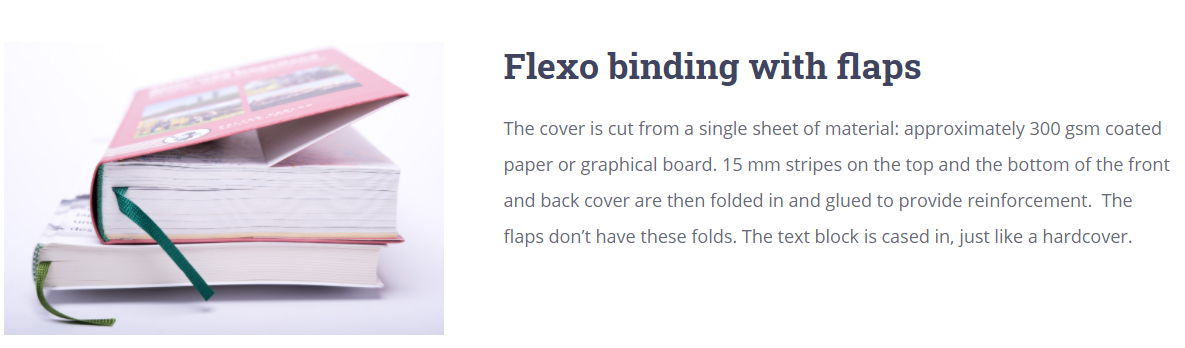
The dust jacket in Prinect Business Manager can have flaps front and back.
The size is the same for both flaps. For flaps of the cover, different values for left and right flap are possible.
First of all a folding scheme with the flaps must be defined.
The folding scheme can have a front flap and a back flap in the X-direction.
The fold for hard cover needs to be only on the Y-direction.
PBM explorer > Parameters > Calculation parameters > Sheets/web parameters > Folding schemes
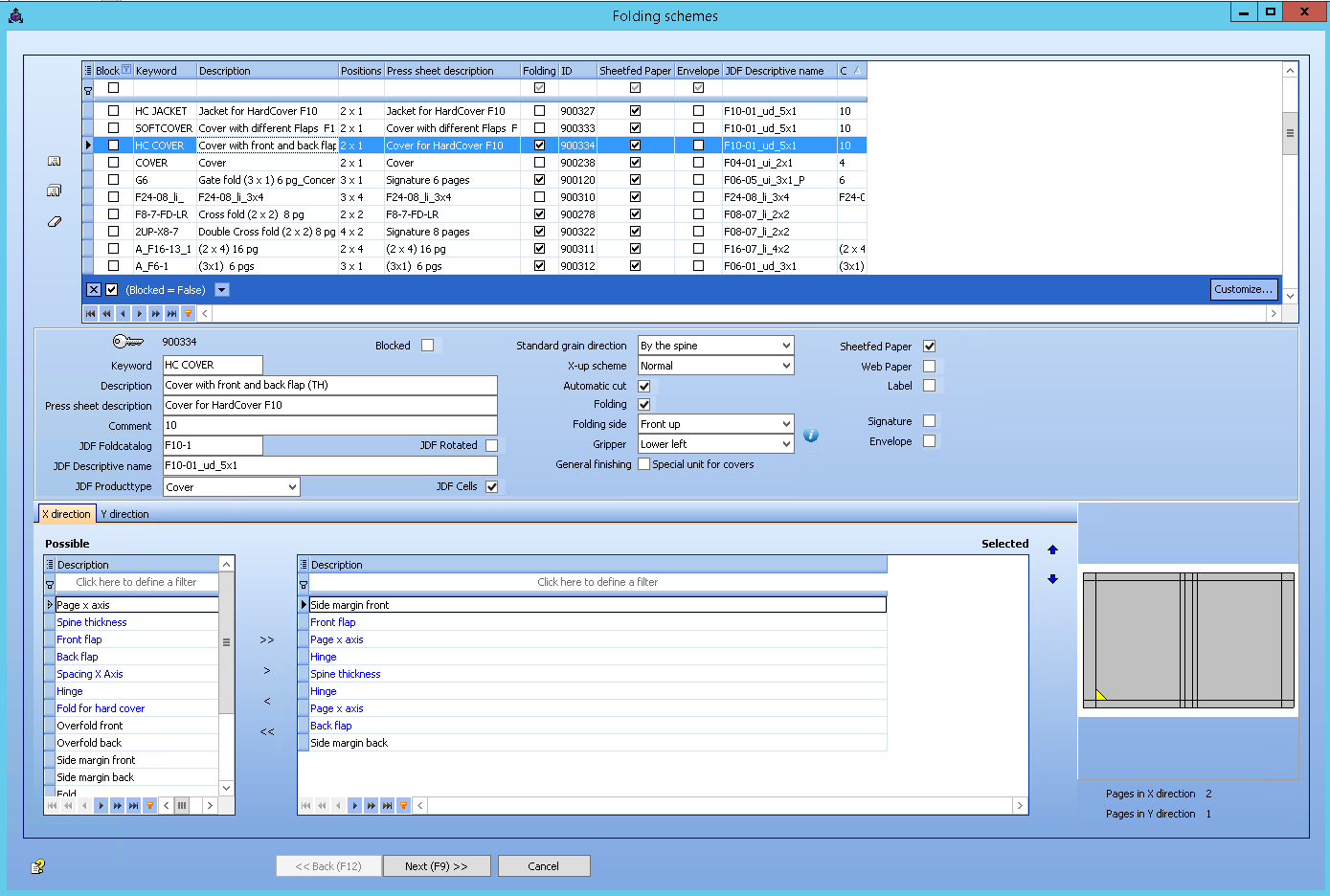
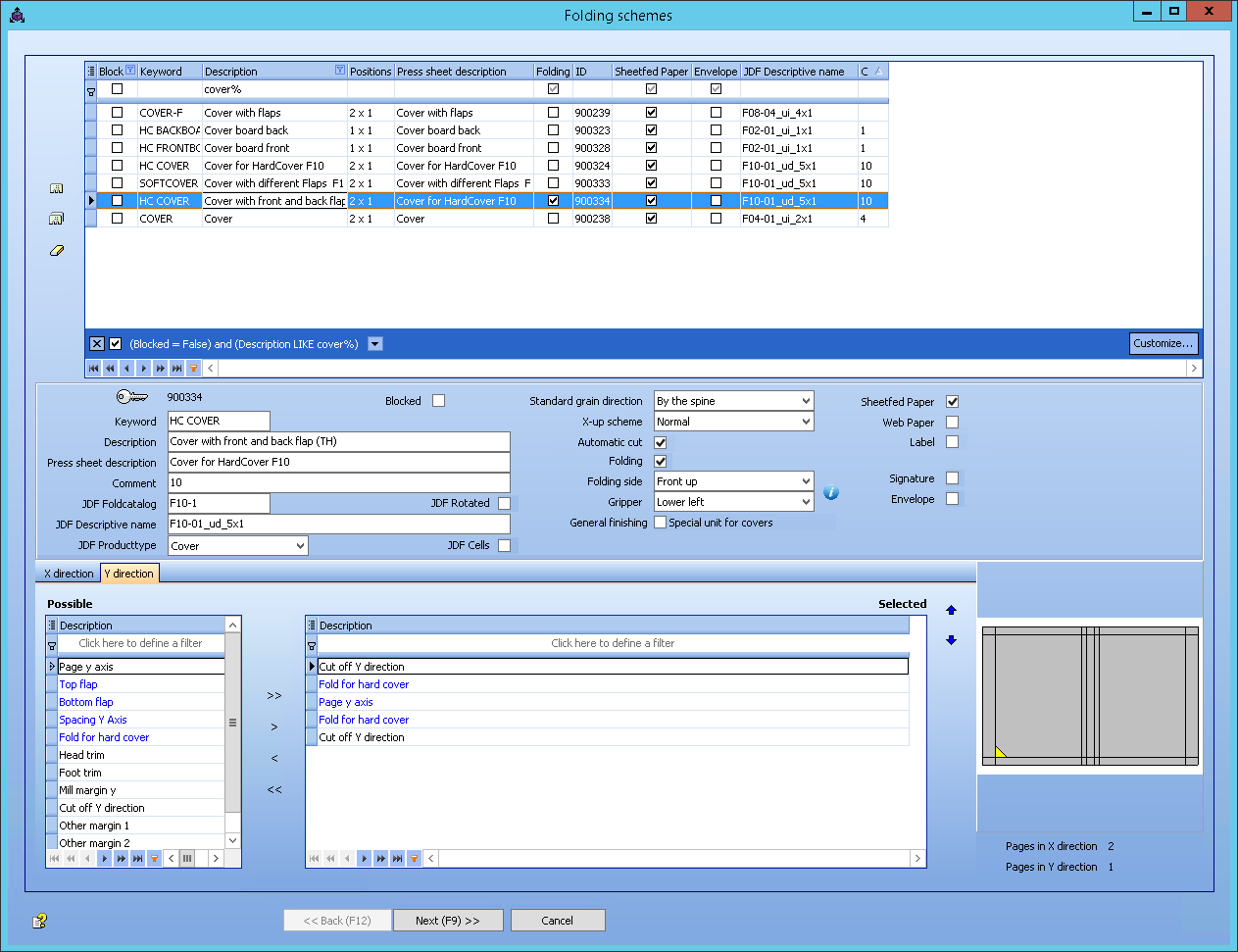
PBM explorer > Production > Product types > Books > Properties > Parts
In the product type you have to add the new folding scheme.
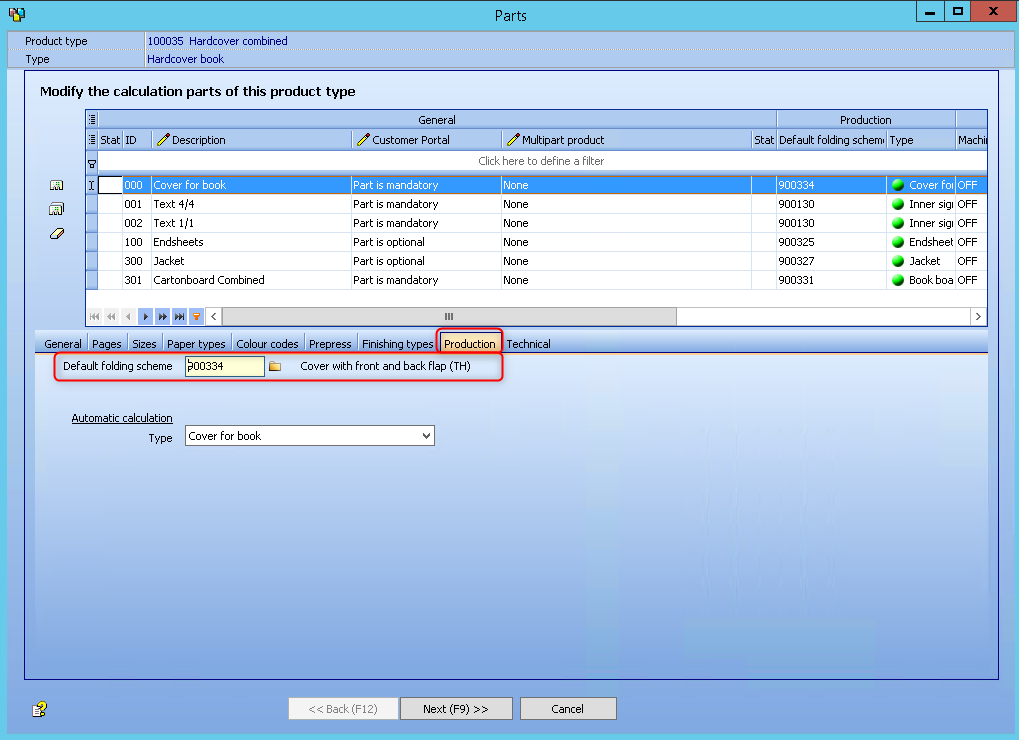
PBM explorer > Production > Product types > Books > Properties
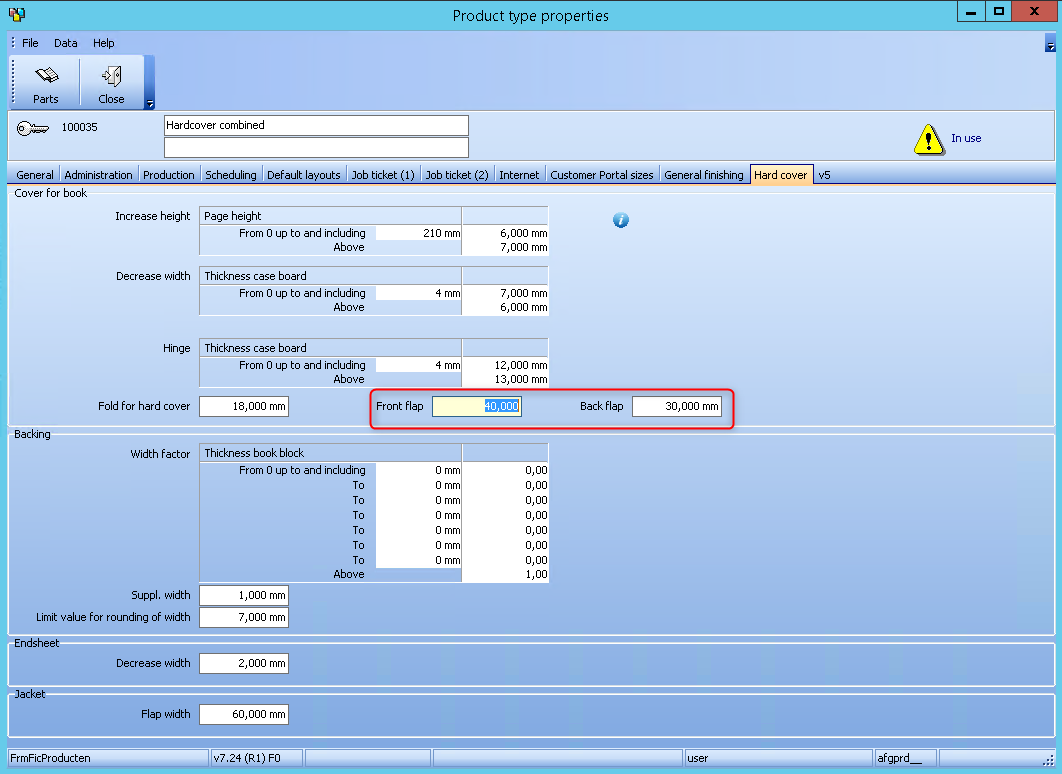
Here you can predefine the values for the front flap and the back flap.
The 2 fields are new, but not mandatory.
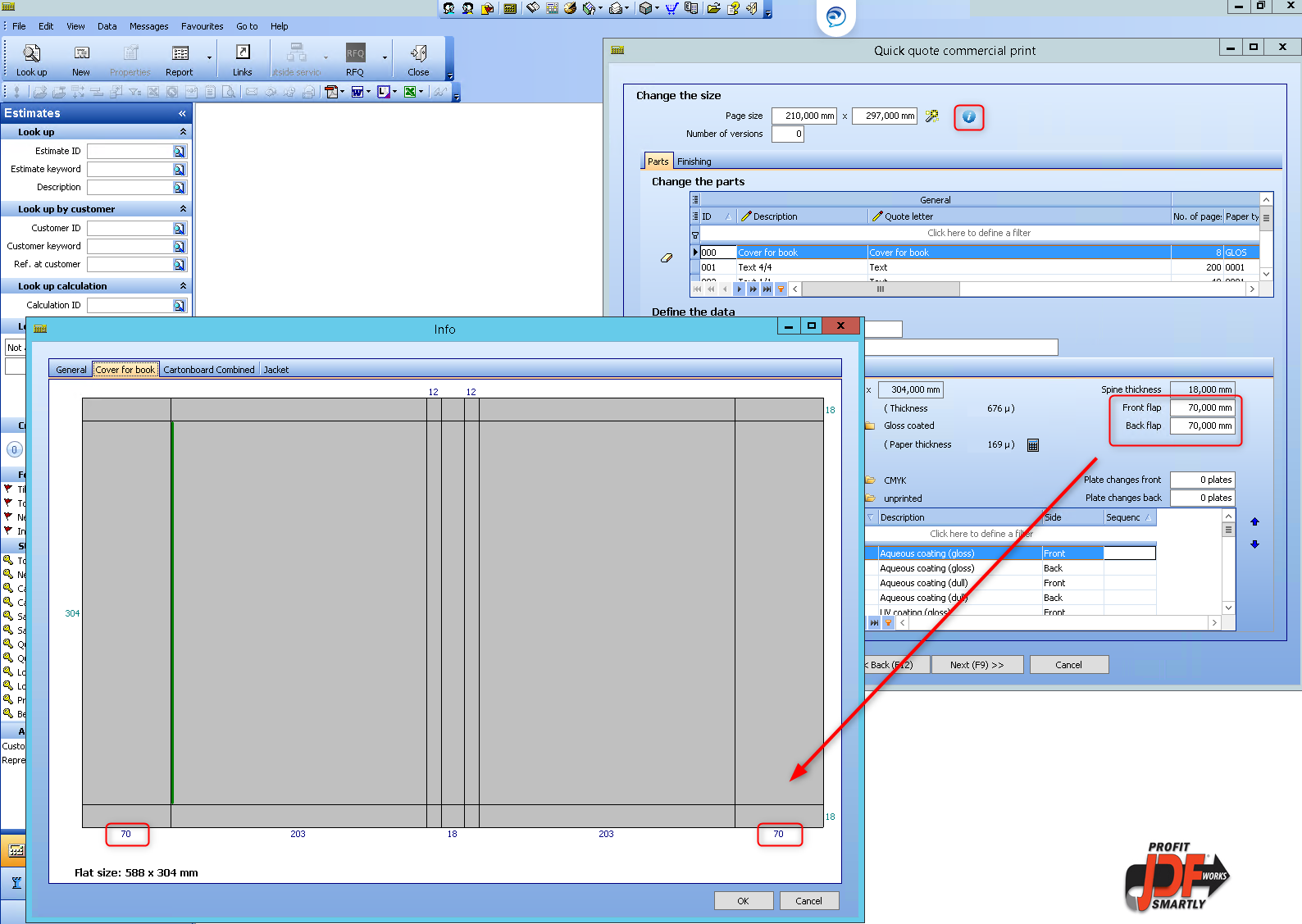
In the Info screen, at the registercard "Cover for book", the flaps are drawn with the indicated values.
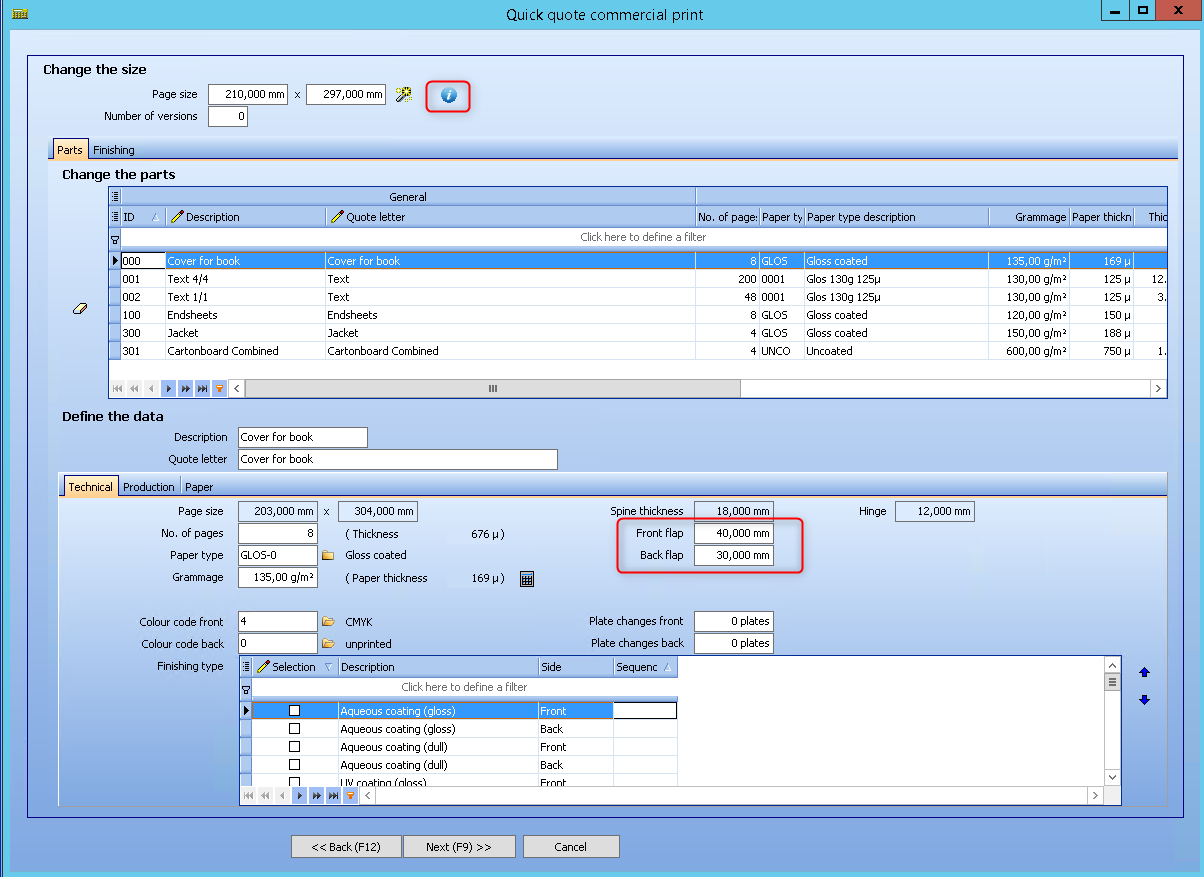
 Two fields for the flaps are available in the estimation, but only if the folding scheme has flaps. The default values of the product type are set, but here the flaps are editable. The info button will draw the cover with the correct values for the flaps.
Privacy Policy | Imprint | Prinect Know How | Prinect Release Notes