
Prinect Business Mananger and Prinect Signa Station JobIDs
There are 2 ways to create a new gang form using Prinect SignaServer.
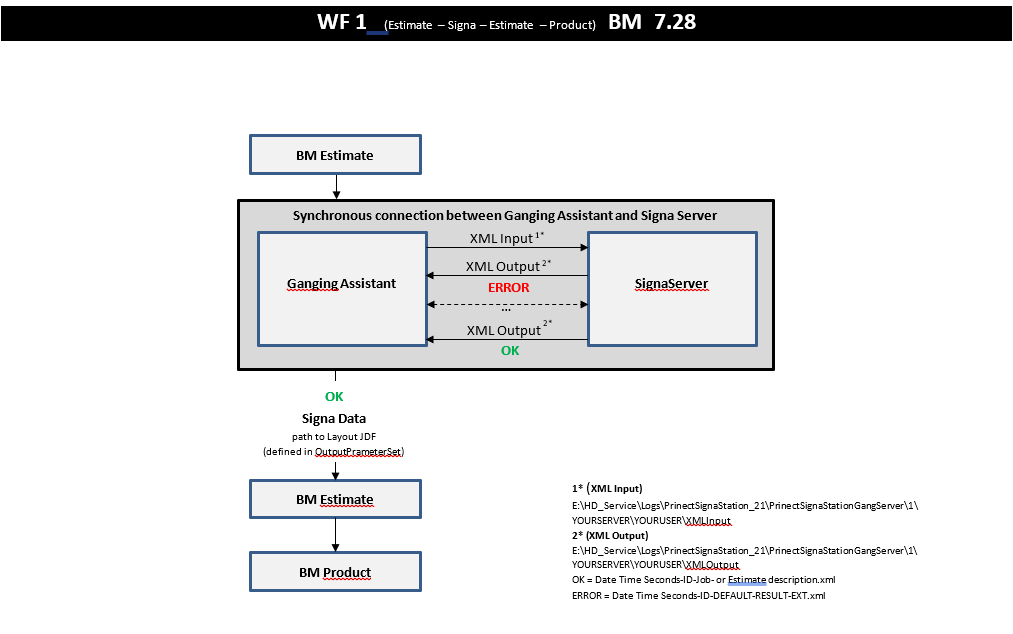
1. New estimate with ganging
Estimate - SignaServer - Estimate - (WF1)
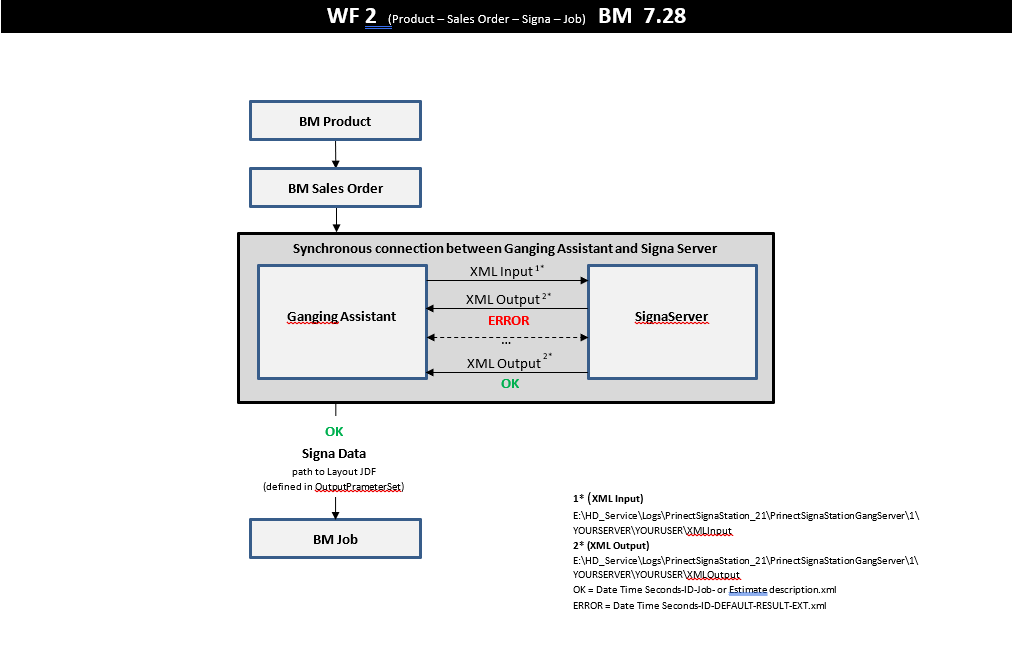
2. Sales order ganging
Product - Sales order - SignaServer - Job - (WF2)
When an estimate is created in Prinect Business Manager and sent to the Prinect Signa Station, the Prinect Signa Station needs a unique identifier for it - the Prinect Signa Gang Job ID.
This Job ID is determined by the Prinect Business Manager. The estimate and the job number do not yet exist at this point and can therefore not be used. This ID is then sent to Prinect Signa Station in an XML request.
What is the composition of this new estimate ID and job ID?
Depending on which workflow you are in, a corresponding prefix is used - EST or JOB.

This is what the new ID will look like in the explorer

Where is the change visible?
•XML request sent to Prinect Signa Station looks like this. In the header the JobID is shown.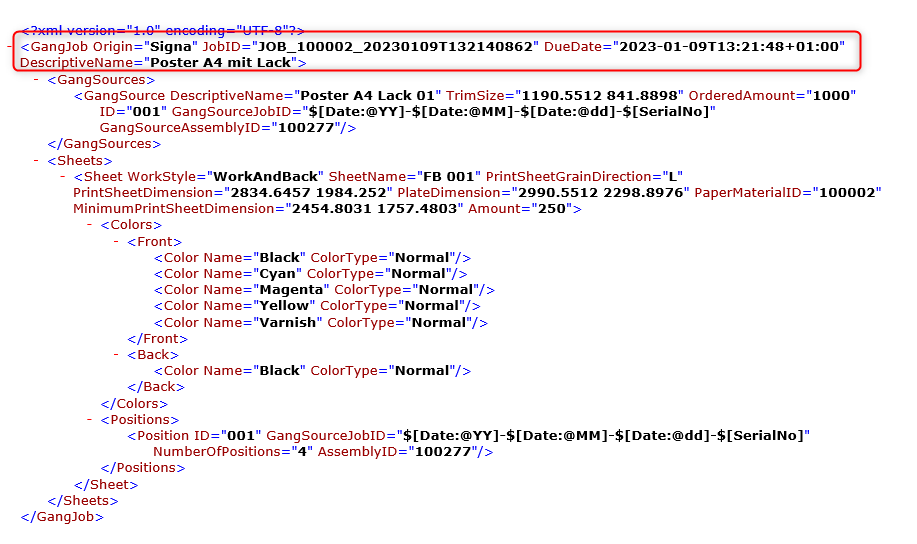
•The name of the XML file is "gang.pbm.xml".
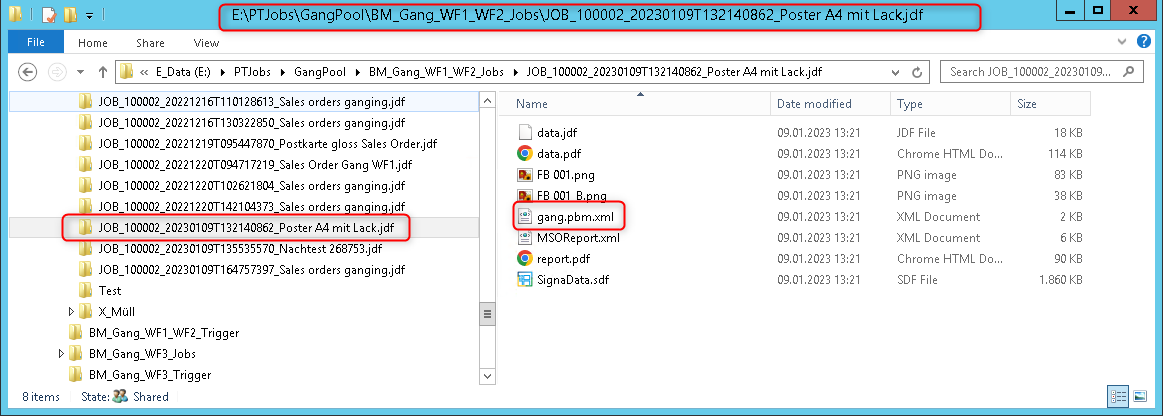
•The Prinect Signa Job ID is also used to create the layout directory on the disk.
•The Prinect Signa Job ID is stored in the Prinect Business Manager database!
Tables: v1off___ (estimate) / v4off___ (job) in the field ppjob_id. Old calculations will not have a value for this field. It will remain empty. The field url__lay contains the path to the files.
(1) In the Prinect Business Manager itself, you get information about the Prinect Signa Station job. The Job ID is shown and the url of the layout is visible.
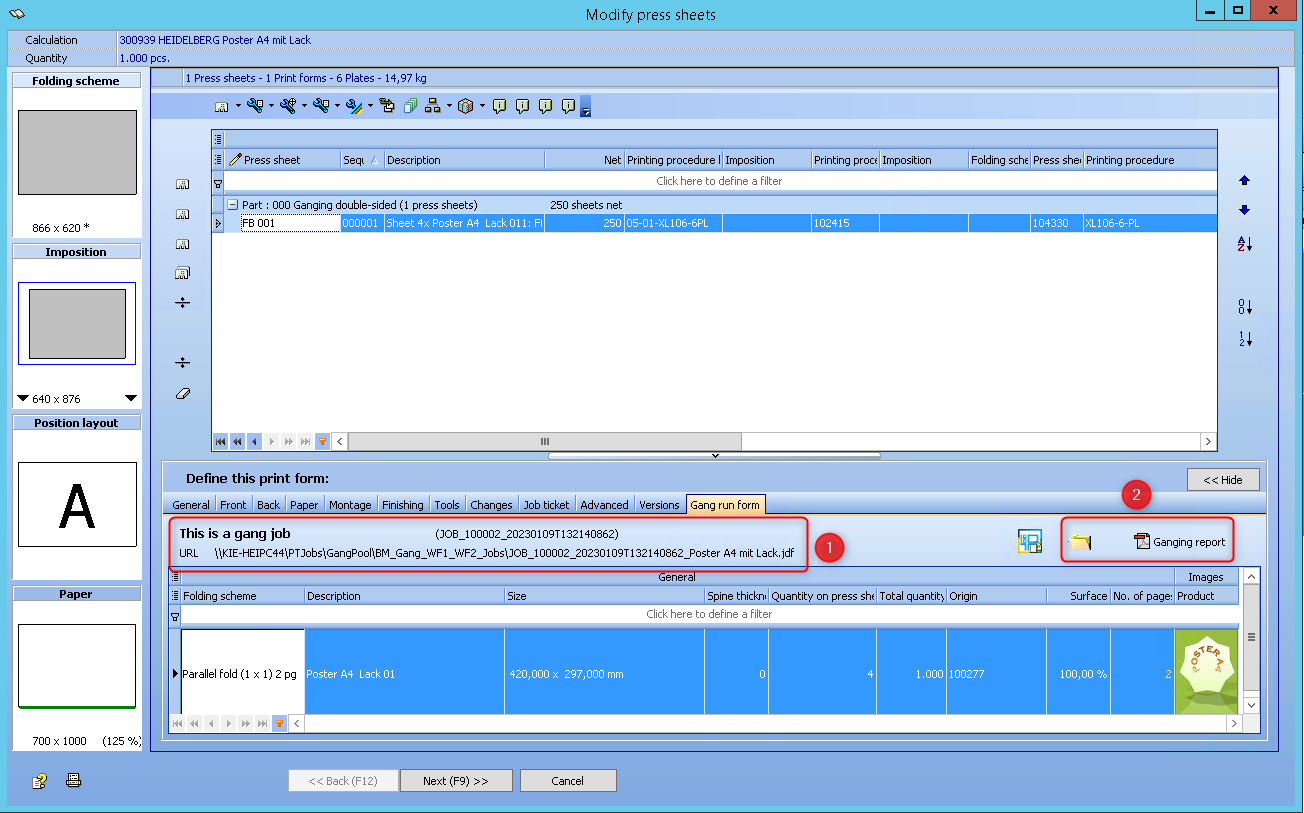
A new button is added to open the layout directory. Changes in the Prinect Signa Station are automatically synchronised.
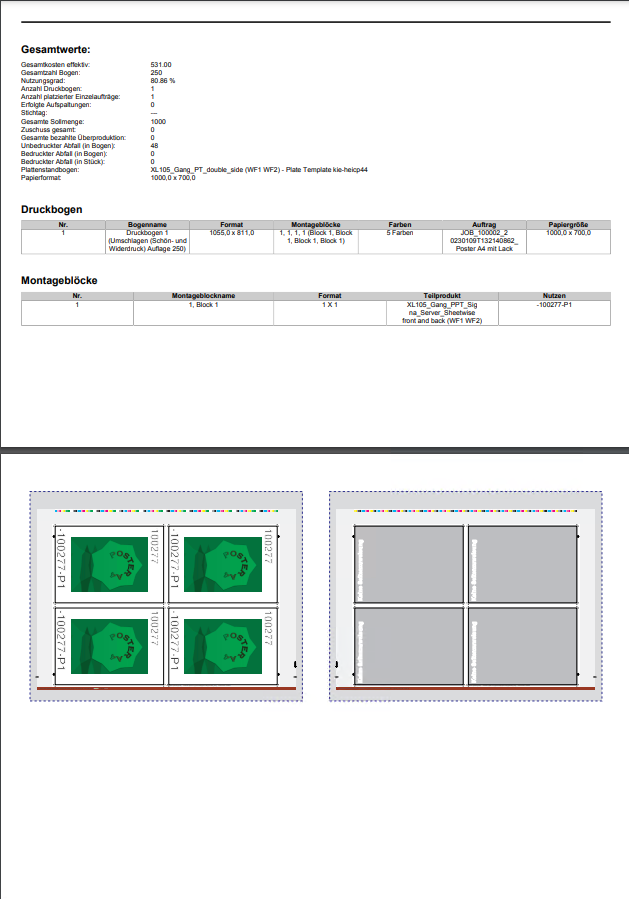
A ganging report is also available in the pdf format.
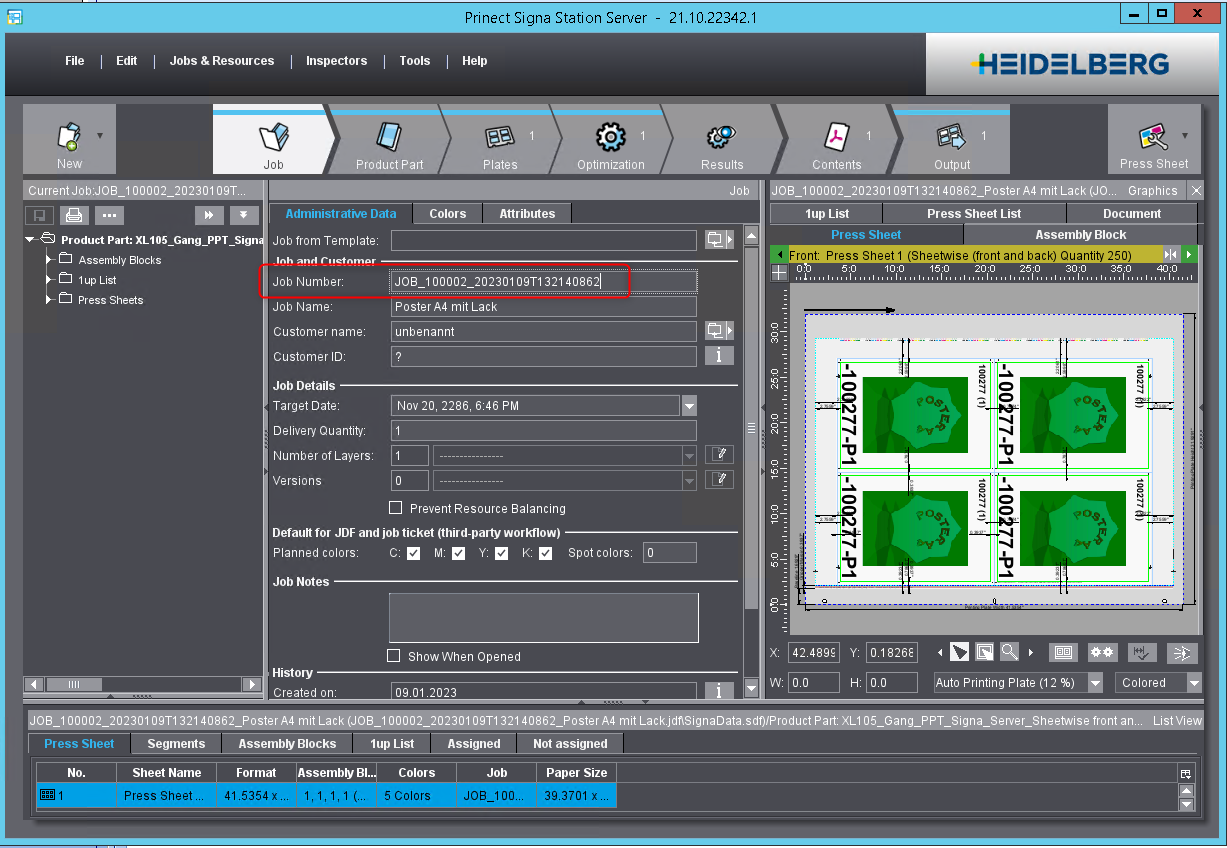
The JobID can of course also be found in the Prinect Signastion.
How does this workflow work?
The job created in Prinect Business Manager can be opened in the Prinect Signa Station and changes can now be made. In this example, an up of the gang run form at the bottom left has been removed.
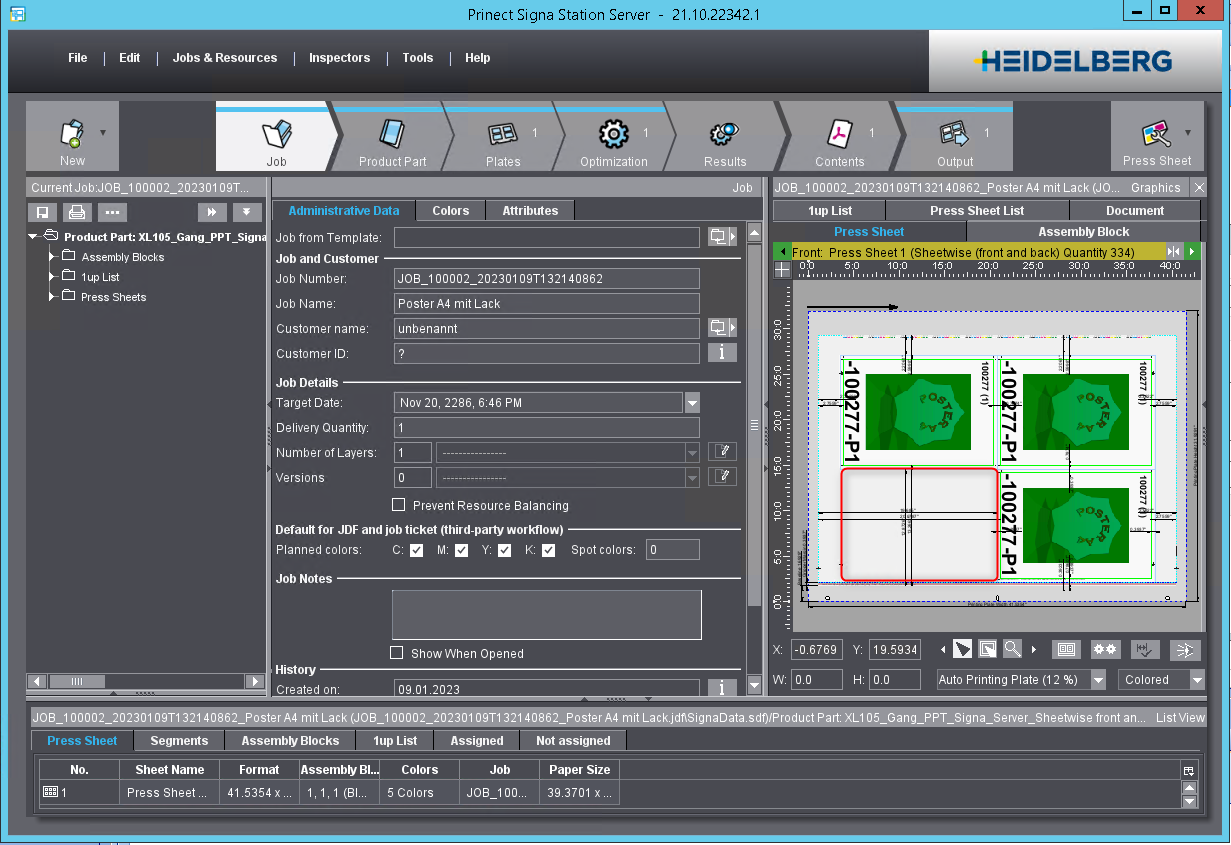
After changes have been made, the user can send the job back to the Prinect Business Manager via the "Output" button.
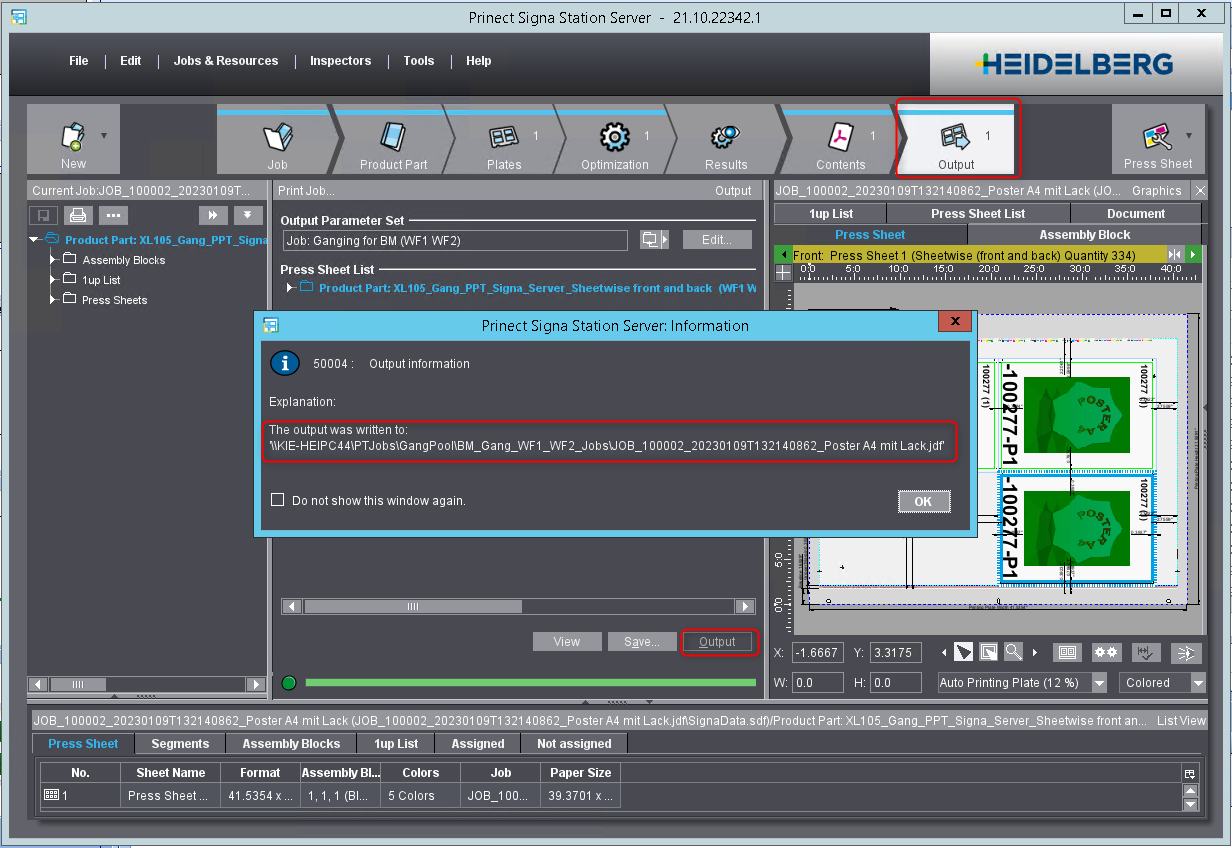
The URL of this Prinect Signa Station job is shown The message that the job has to be written into the corresponding directory needs to be confirmed.
The "output" button ensures, that a new trigger file is stored in the specified hotfolder.
The content of a trigger file is shown here and displays the URL of the Prinect Signa Station job.

The "Cerm Hotfolder Monitor" can pick this up and import the result in the Prinect Business Manager.
The changes are now visible in the Prinect Business Manager.
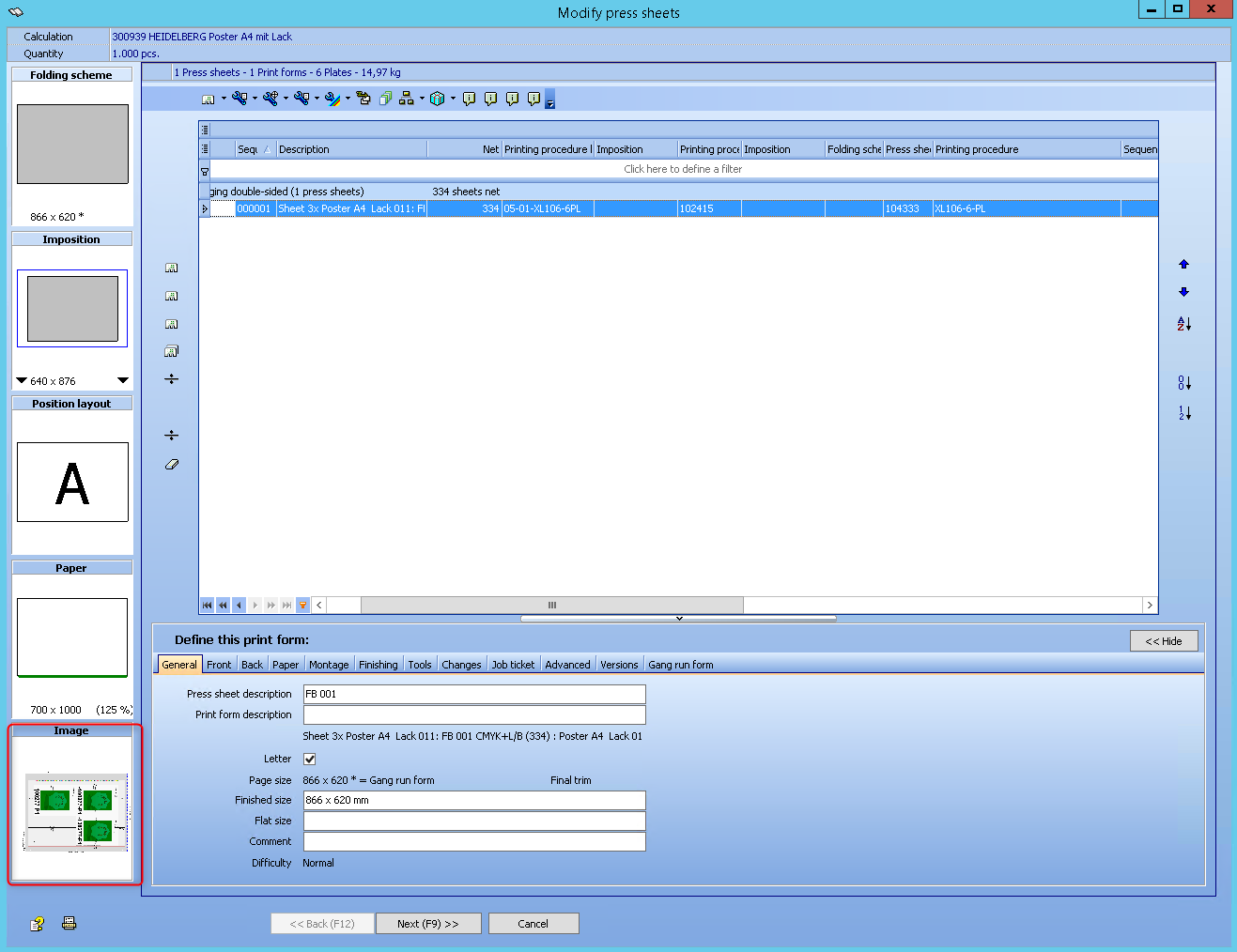
The configuration is done in the "Cerm Setup utility" and can look like the screenshot below:
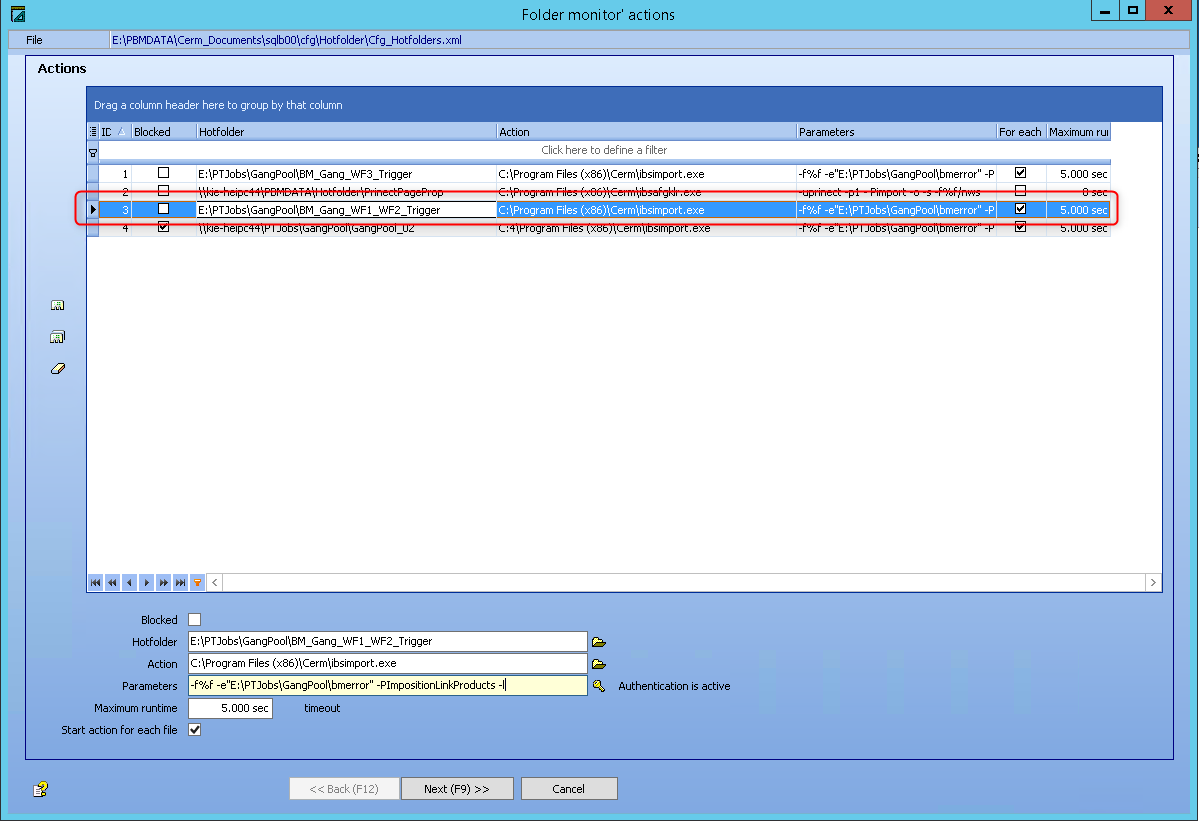
The parameter for the import of a gang job is -PImpositionLinkProducts. For new installations a more logical name with the same functionality could be used. For example: PImpositionLinkAll!
This is the same configuration for creating gangsheets for gangjobs created by the ganging wizard in sales orders.
This means, that all the changes, that a Prinect Signa Station operator makes like this, will be automatically synchronized with the Prinect Business Manager.
The import can also be triggered for quotes.
To distinguish an order from an offer, the new prefix is important.
The trigger file points to a URL for the layout directory. If the directory name contains the prefix "JOB", the layout is imported into a Prinect Business Manager job. The prefix "EST" adds gangsheets to a quote. If there is no prefix, it is assumed to be an old gang job.
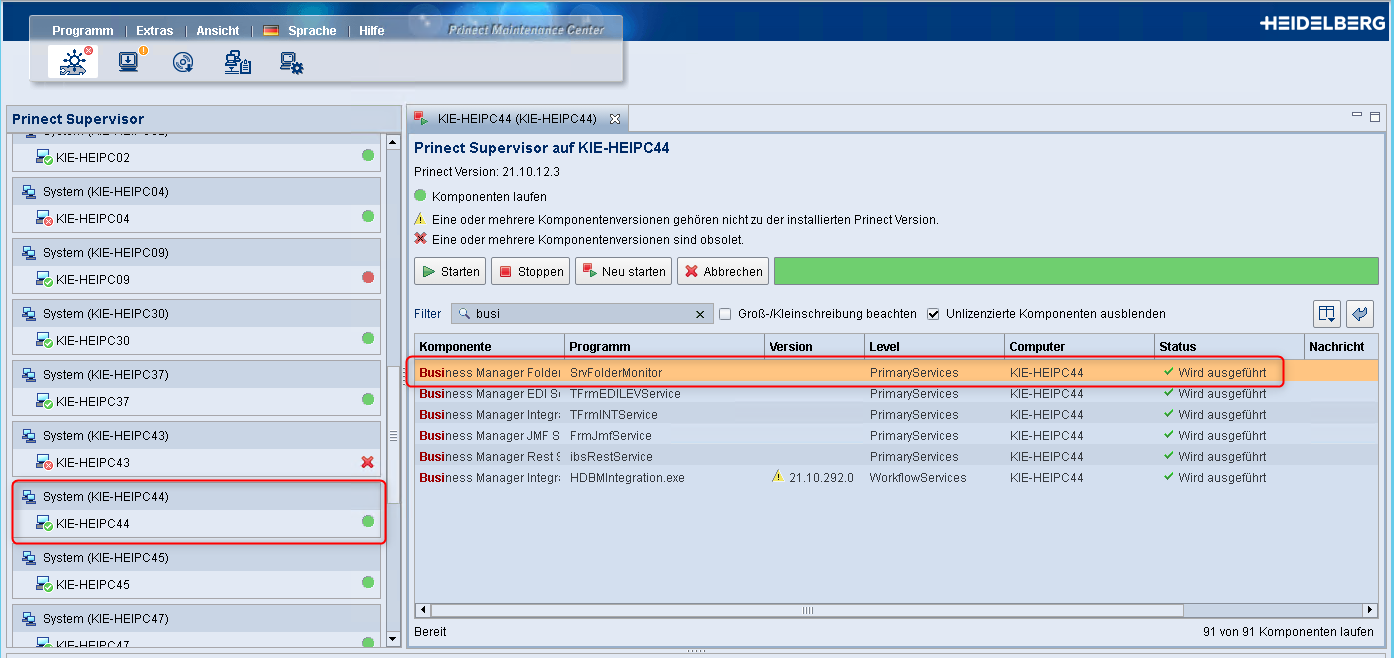
Be aware, the restart of the Business Manager Folder Service for the "Folder Monitor" should be done in the Prinect Maintenance Center.
More about the syntax for the parameters you will find in the CERM Help:
https://secure.cerm.be/hd/onlinehelp/Modules/Products/Product_colours/Import_product_colours_from_Prinect.htm?rhsearch=parameter+import
https://secure.cerm.be/hd/onlinehelp/Modules/Products/Production_maps/Import_production_maps.htm?rhsearch=Syntax
Privacy Policy | Imprint | Prinect Know How | Prinect Release Notes