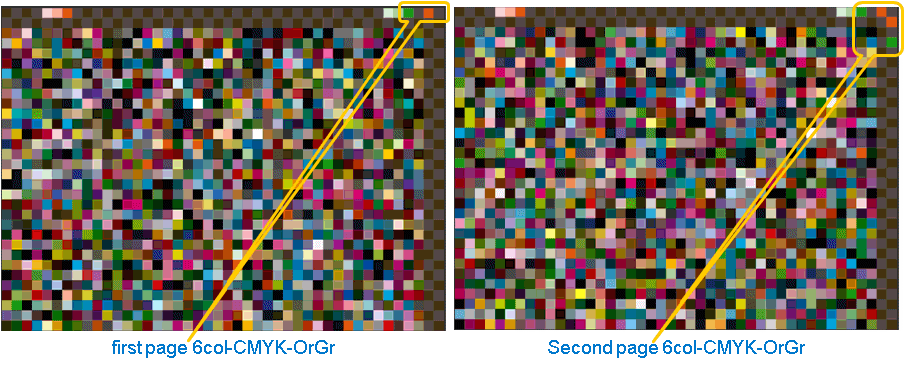
Multicolor test charts are available as PDF and TIFF files in Color Toolbox. They consist of two pages and are used for profiling Multicolor processes.
The example shown above shows the pages of the test chart for 6c CMYK-Orange-Green and can also be used for the combination CMYK-Red-Green. The patches in the top right corner show the colors for which the test chart is defined.
The additional colors for Multicolor are:
•Orange(O) or Red(R)
•Green(G)
•Blue(B) or Violet(V)
The following two-page test charts are available:
•5 colors (5 C): test charts (2x1229 color patches) for:
·CMYK+O or CMYK+R
·CMYK+G
·CMYK+V or CMYK+B
•6 colors (6 C): test charts (2x1407 color patches) for:
·CMYK+OG
·CMYK+OV
·CMYK+GV
•7 colors (7 C): test chart (2x1259 color patches) for CMYK+OGV or CMYK+RGB
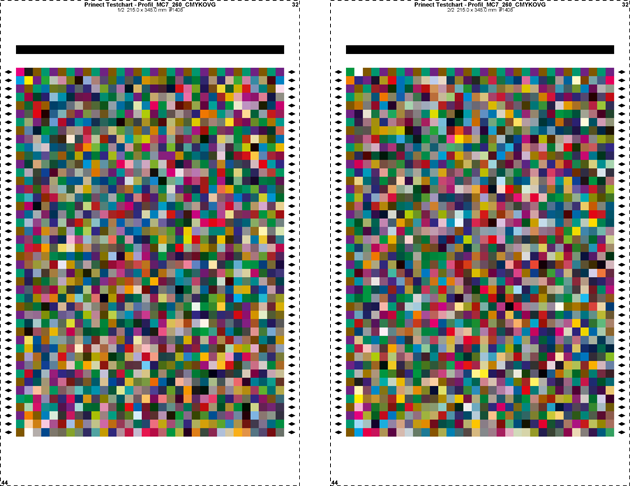
•7 colors (7 C 260): Test chart (2x 1408 color patches) for CMYK+OGV
This test chart works with a total dot area of 260% and unlike "MC 7C" is no longer oriented solely to offset printing. That is why it is suited especially for creating profiles for the Labelfire. Restricting the total dot area facilitates enhanced scanning of the area used. For profile calculation, the dot area should not be set above 280-300%.
You will find a description of the procedure in Measuring and Evaluating Spot Colors.
•7 colors (7 C 320): Test chart for CMYK+OGV
You can also measure multicolor test charts with X-Rite i1-ISIS or X-Rite i1iO 2/3. In this case, however, you need special test charts. For X-Rite i1iO 2/3, the 2-page test chart "Profil_MC7_320_CMYKOVG_p1_iSis.pdf" or "Profil_MC7_320_CMYKOVG_p2_iSis.pdf" is available. During the measurement, Color Toolbox automatically switches to the second page when the first page has been measured.
PrintOpen Multicolor 5-C 320 and PrintOpen Multicolor 6-C 320
On one hand, test charts PrintOpen Multicolor 5-C 320 and PrintOpen Multicolor 6-C 320 give you more freedom in terms of ink composition while on the other hand the ink density is limited to a maximum of 320% to comply with technical limitations, for example in digital printing.
Test charts for 5C: Profil_MC5_320_CMYKO, Profil_MC5_320_CMYKV, Profil_MC5_320_CMYKG (in ...\charts\PDF\MultiColor Charts\5C\i1-iSis\ and the legacy V3 charts)
Test charts for 6C: Profil_MC6_320_CMYKOV, Profil_MC6_320_CMYKOG, Profil_MC6_320_CMYKGV (in ...\charts\PDF\MultiColor Charts\6C\i1-iSis\)
After printing, you can click the "New" button to select the respective test charts:


Note: If they are not displayed here, check if they are selected in the Preferences. You may have to delete the file "CustTestcharts.xml" in ...\settings\reference\ and restart Color Toolbox.