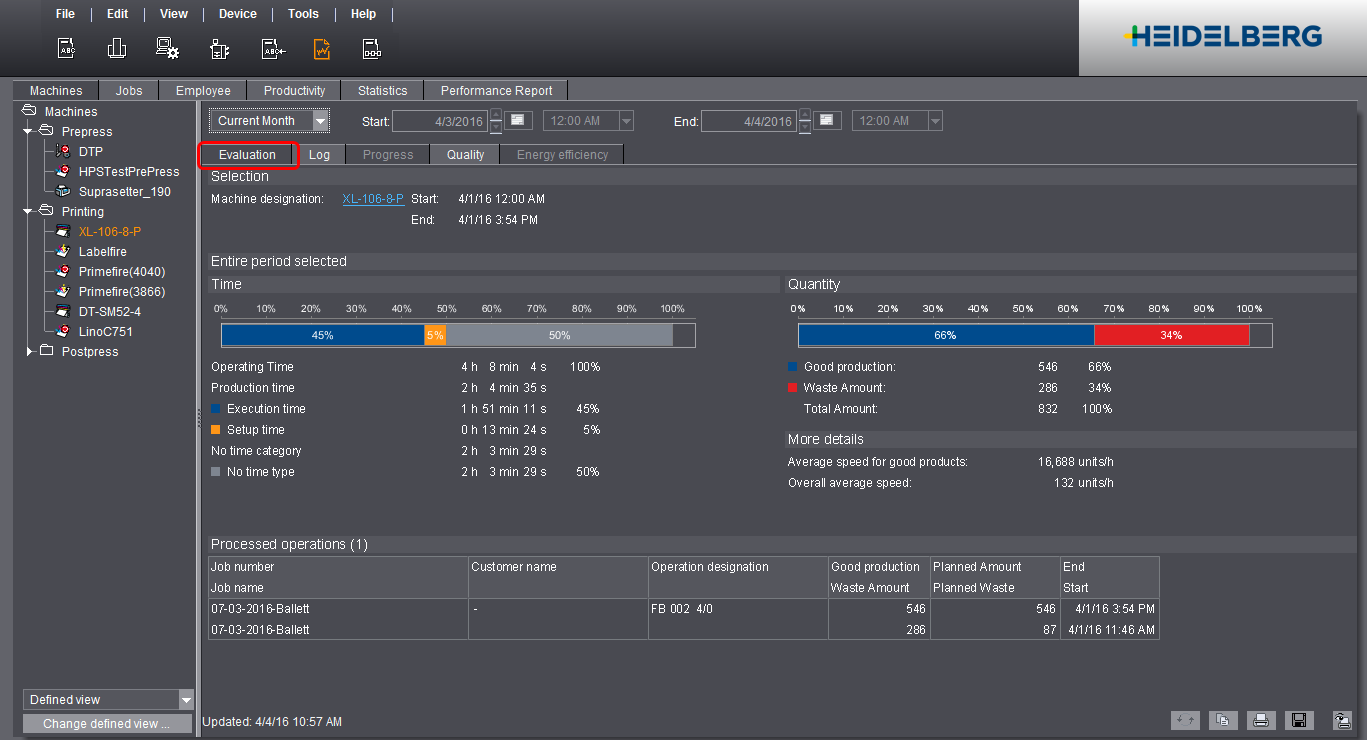
The machine evaluation gives you a detailed breakdown of the recorded times, quantities and operations on a selected machine.

Note: Evaluation only contains the times of operations that take place in the selected period. If, for example, "production" takes place outside the selected period, this will not be taken into consideration in the evaluation. The end of processing is left open if an operation is still in progress.
What is the information in Machine Evaluation?
"Selection" group
Shows the selected machine and the start and end of the selected report period.
The bar chart shows the percentage ratios of the production times. In this process, the single production times (percentages) always refer to the operating period. The operating period is the total of all times in which the machine was switched on at a defined period. It is always 100%. The absolute and percentage production times display again separately below the bar chart.
The classification and capture of times (e.g. production time, auxiliary time and downtime) depend on how you have configured the time categories and time types in the Device Configuration. See Time Category.
"Quantity" group
The bar chart displays how much (in percent) of the total quantity has already been produced in the report period. The overall amount and the good sheets and waste produced are again shown individually below the bar chart in absolute values and as percentages.
•Good production:
Number of printed sheets while the good-sheet counter was switched on.
•Waste Amount:
Number of printed sheets while the good-sheet counter was switched off (e.g. during the setup of the machine).
•Quantities for Versafire presses:
Number of printed copies (e.g. flyers, 1ups, etc.), not the number of pages.
"More details" group
This is where various details are recorded, depending on the selected device class.
•Average speed for good products:
Good production / sum of all times in which good sheets were printed (good-sheet counter was switched on and machine really printed).
The time in which good sheets were printed cannot be read off directly in Analyze Point.
•Overall average speed:
Good production / report period in hours (h)
The report period is the period that was selected above the report (e.g. "Today", "Yesterday", "Current Month", etc.). The report period must not be mixed up with the operating period. The latter does not include the times in which the machine was switched off.
•Labelfire Production Speed:
Average speed in meters/minute.
"Impressions" designates the number of pages in digital printing. One "Impression" is one printed surface of a sheet. A distinction is made between ColorImpressions and BlackImpressions: ColorImpressions are all impressions that contain at least one color. BlackImpressions are Impressions that contain only black.
•Number of Plate Changes:
Shows the number of plate changes for all Prinect Press Center machines with automated plate change. A plate change is counted as soon as a plate is loaded.
"Processed operations" group
Lists all operations processed in the selected report period. As many as 1000 operations display.
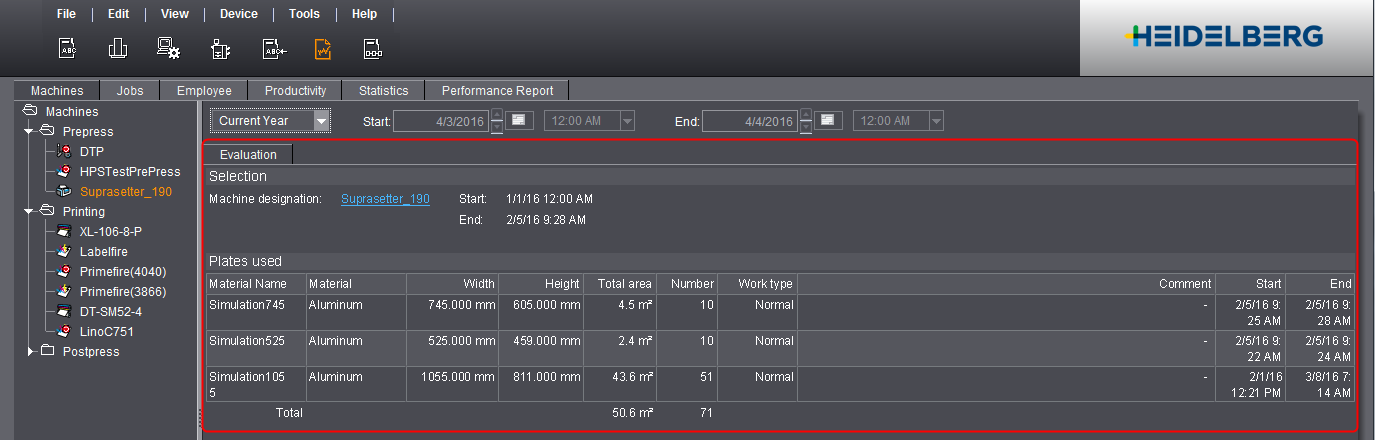
Machine Evaluation for CTP devices
When a CTP device is selected, the "Evaluation" tab shows you a list with the number of imaged plates in the selected period.