
Administration - HEIDELBERG Cloud
As of version 2021, Prinect Production supports the connection to HEIDELBERG Cloud services. This also includes the connection to the "Internet of Things": Prinect IoT. In this tab, you can check the status of the connection to the HEIDELBERG Cloud and vie folders set up for service purposes containing Service Information documents related to the Cloud connection.
In this section, you can check the connection status of the Prinect IoT Platform. Next to the connection status, the date of the last connection to the IoT is displayed.
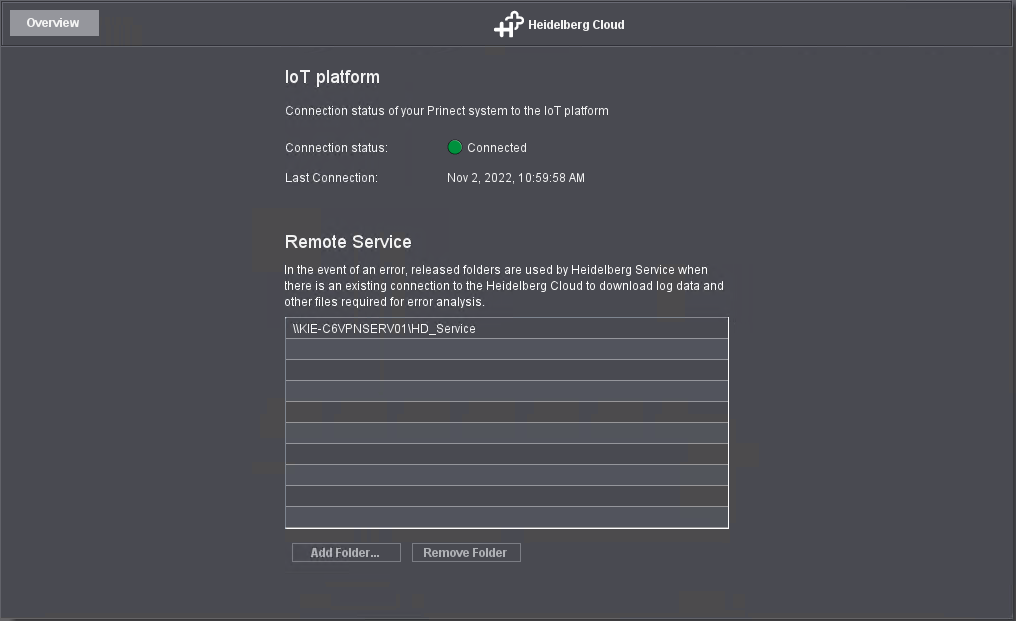
This where folders set up for service purposes are shown.
These shared folders are intended for remote servicing by HEIDELBERG technicians and contain data such as log files the HEIDELBERG Service technicians can use for troubleshooting. Service technicians can download these files. The default download folder is "HD_Service".
You can add more folders with "Add Folders".
You can click "Remove Folder" to delete one folder or several folders selected beforehand. The respective folder contents is also deleted.
 Prerequisite: The "Gang Run Forms" tab is only visible if the local Prinect workflow system is connected to the HEIDELBERG Cloud and if the creation of gang run jobs in the Cloud is licensed.
You can place different print products — even from different customers — on "gang run sheets" in the HEIDELBERG Cloud for joint processing in the Prinect workflow.
The "Gang run forms" tab lets you specify how these "gang run forms" are submitted from the Cloud into the local Prinect Workflow system.
Automatically create products in Prinect
Option "Automatic product creation active"
If you activate this option, new products are automatically created from certain MIS jobs in Cockpit. You define in the Prinect Cloud which products can be created in this way.
Transfer of gang run forms from the Cloud
You can select from the following options to transfer gang run forms from the Cloud:
Apply gang run forms automatically
The local Prinect workflow receives gang run forms automatically from the Prinect Cloud in.
Download gang run forms manually using the Ganging app
To submit gang run forms to the local Prinect workflow, you must open the Prinect Cloud Ganging app in the web browser on a computer having access to the JDF import input folder of the Prinect Production Server. There you can download the gang run form files into the download folder of the browser. The data must then be transferred to a JDF import hot folder. See "JDF Communication" tab.
Privacy Policy | Imprint | Prinect Know How | Prinect Release Notes