
Privacy Policy | Imprint | Prinect Know How | Prinect Release Notes
Printing pallet sheets on Prinect Press Center
To ensure that the manual PDC message "Print Pallet Sheet" appears on the corresponding press, you have to synchronize the Master Data Store (MDS) and the Prinect Press Center presses. See Synchronization of the PDC configuration with the press for details on how to do this synchronization.
After synchronization of the PDC configuration, you can load a job at Prinect Press Center and print a pallet sheet. The general procedure is as follows:

1.In Prinect Press Center, go to the "Production data collection" view (1).
2.Log in as machine operator (2).
3.Go to the "Job" view (3).

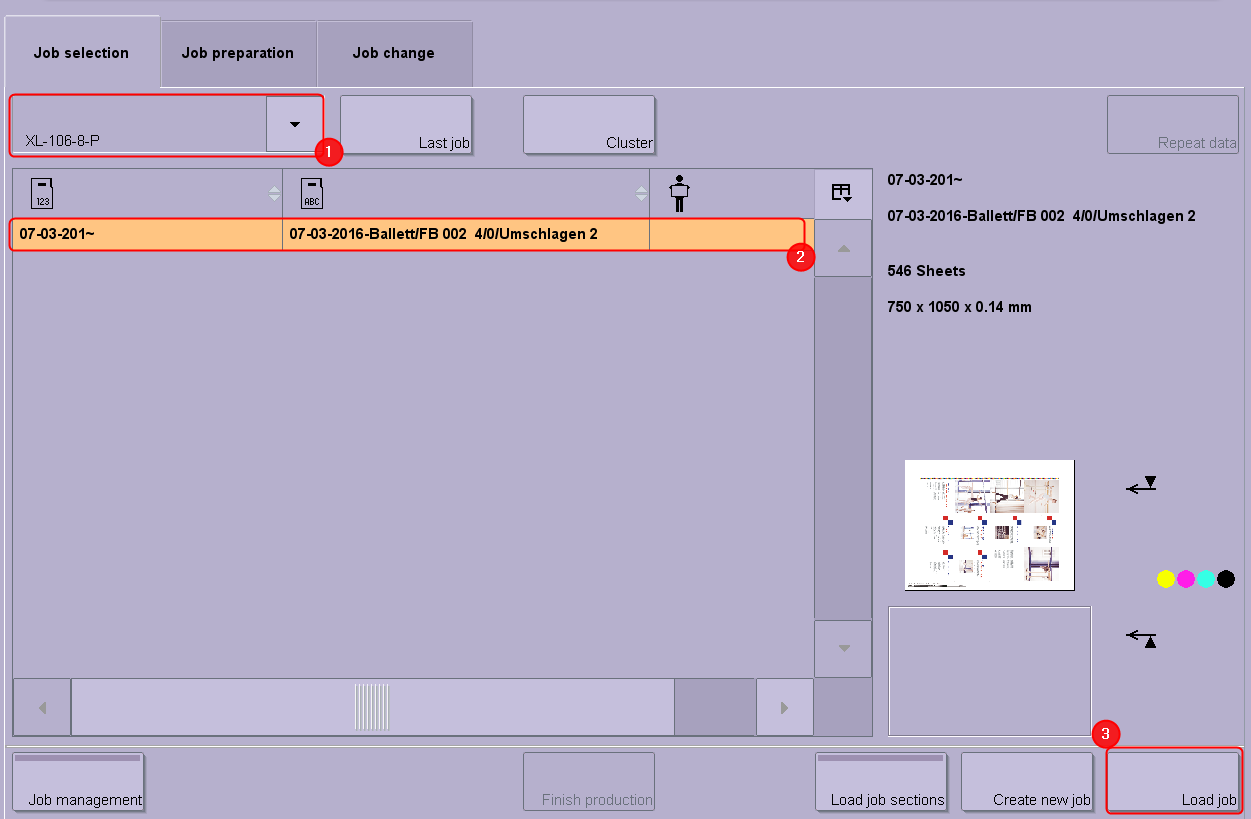
1.Select the data storage of your press (1).
2.Choose the job you want to print (2).
3.Load the job (3).
4.Click the "Release job" button and start the printing operation with the following button:

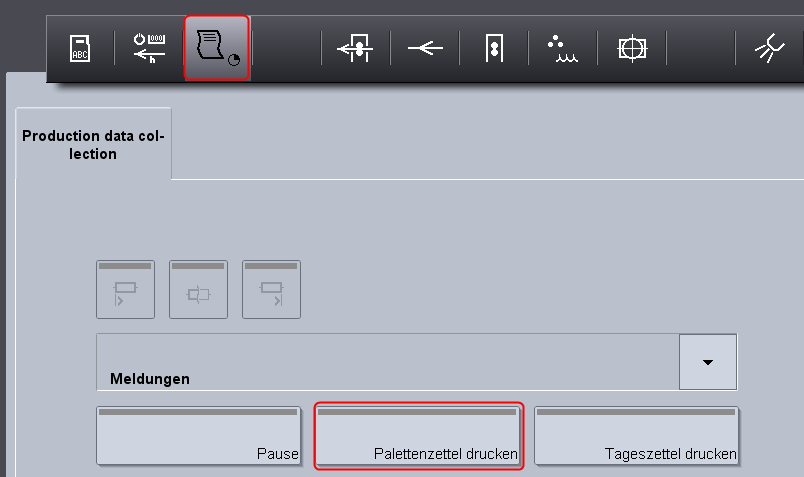
5.In "Production data collection" (1), you can now trigger the operation (PDC message) "Printing pallet sheet" (2) as soon as printing starts.
The printer you selected beforehand prints the pallet sheet.
6.Next, remove the pallet from the delivery and place the printed pallet sheet onto the pallet.
7.Slide a new pallet into the delivery and continue the print job.
Privacy Policy | Imprint | Prinect Know How | Prinect Release Notes