
Privacy Policy | Imprint | Prinect Know How | Prinect Release Notes
Transfer job changes made in the MIS to the Prinect Workflow
If you use a Management Information System (MIS) in your shop, orders are usually changed in the MIS. These job changes can be transferred to Prinect Manager via JDF and adopted for job processing. Cockpit will automatically detect and display these job changes.
Configure the transfer of job changes in Cockpit
The settings for "Change order" must be correctly parameterized in the "Administration > JDF import" area so that job changes can be transferred automatically or manually from the MIS. By default, the transfer of job changes from the MIS is not enabled.
 Caution: Parameterizing the settings for the transfer of job changes from the MIS should always be carried out in cooperation with a project manager.
What order changes are detected?
Prinect integration will detect the following job changes performed in the MIS:
•Scheduled times
•Quantities (amounts)
•Paper Availability
•Paper
•Layout and Page Count
•Colors
•Processing
•Machine
A detailed description of each of the parameters is available at: "Change Order" Tab.
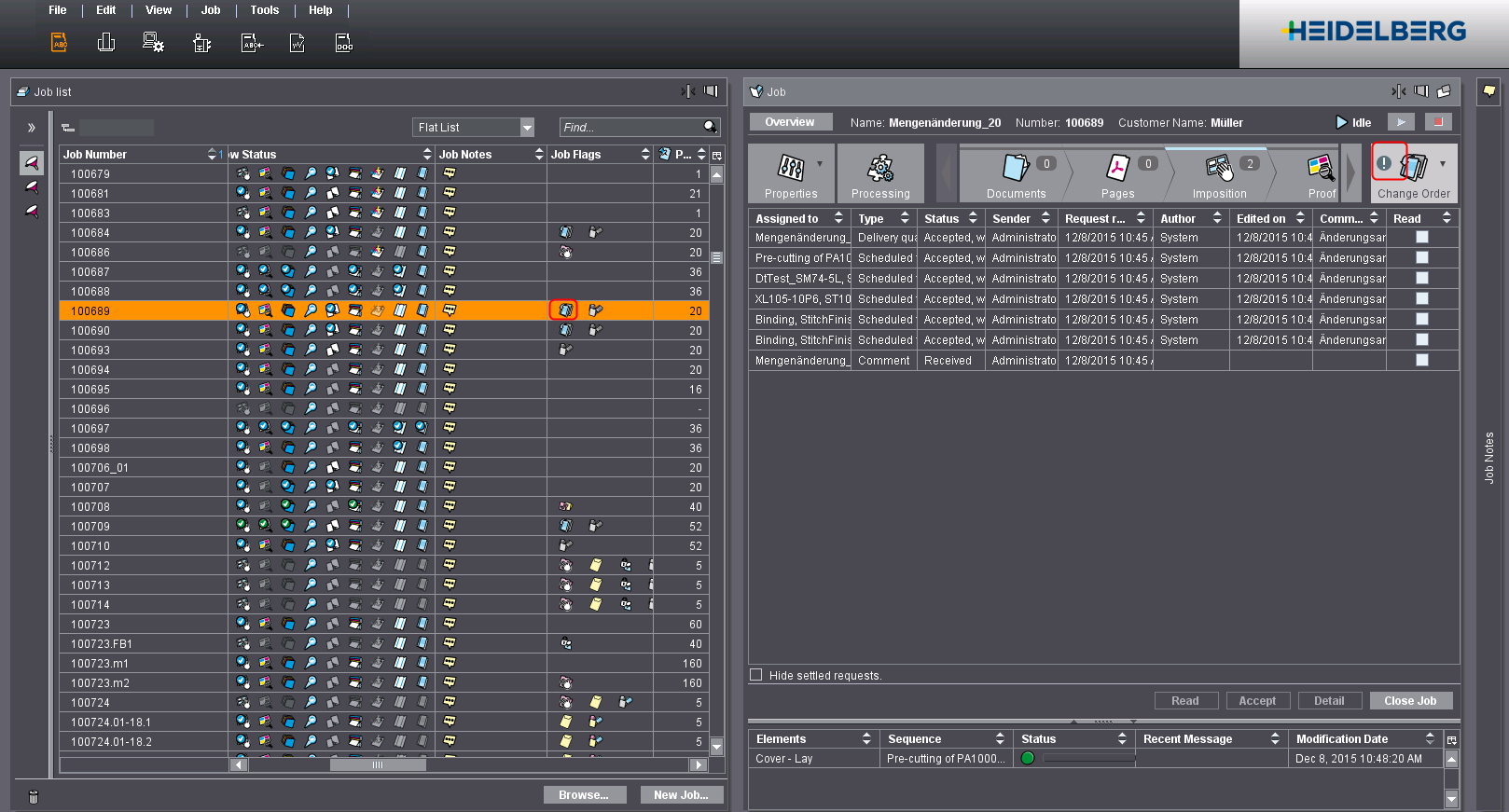
In the order list, you can recognize job changes by the job flag:
A corresponding warning is also displayed in the open job (flashing exclamation mark if there are changes to the job).
Privacy Policy | Imprint | Prinect Know How | Prinect Release Notes