
Privacy Policy | Imprint | Prinect Know How | Prinect Release Notes
"Assigning user groups" configuration step
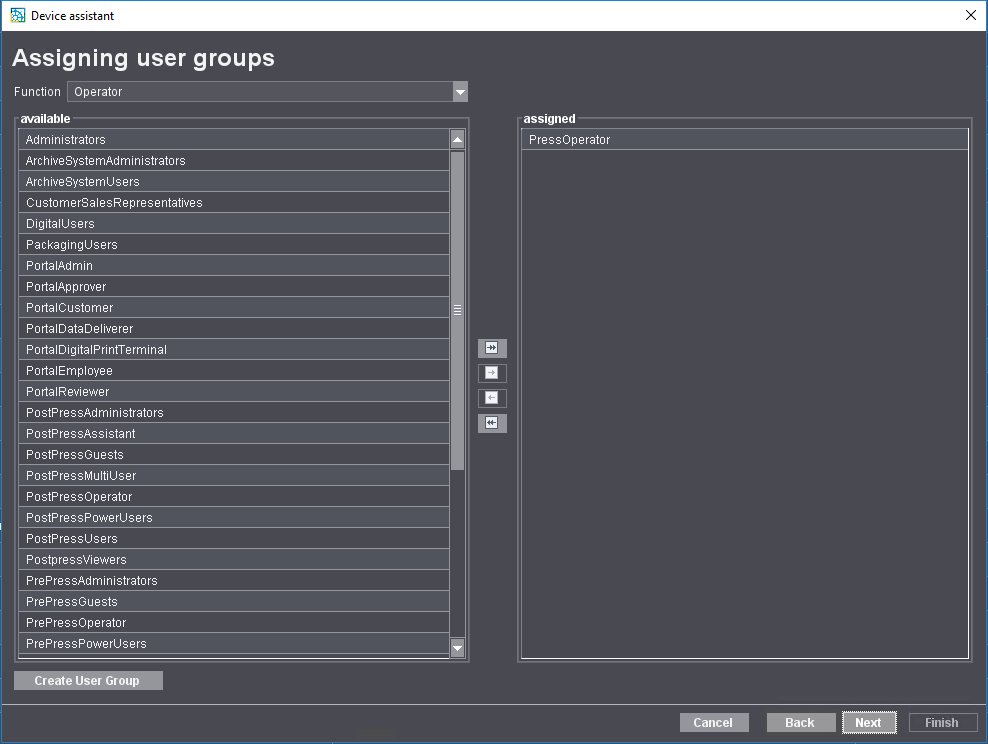
Every Prinect user must be assigned to a user group. The user group defines which user can log on to the respective machine and in which role.
An operator must be assigned at least one user group of the type "Operator", e.g., "PostpressOperator".
An assistant must be assigned a user group of the type "Assistant", e.g., "PostPressAssistant".
You must assign a multiple operator a user group of the "MultiUser" type, e.g. "PostPressMultiUser".
For information on how to set up new users and assign them to user groups, refer to: How do I create a new user account?.
After completing this configuration step, click on "Next".
Privacy Policy | Imprint | Prinect Know How | Prinect Release Notes