
Privacy Policy | Imprint | Prinect Know How | Prinect Release Notes
Initial log in to HEIDELBERG Customer Portal
If you or your company are not yet registered with HEIDELBERG Customer Portal, you will need to create a personal HEIDELBERG ID and a HEIDELBERG Customer Portal user account for your company as an "organization".
 Note: Under the term "HEIDELBERG Customer Portal", Heidelberger Druckmaschinen AG provides various Internet services that HEIDELBERG customers can use worldwide.
1.After clicking on "Login" in the "HEIDELBERG Customer Portal login" area of the PMC Setup Assistant, you will be directed to the Customer Portal Account Setup page — if you are not yet logged in to the HEIDELBERG Customer Portal:


2.Complete the registration form and then click "Sign up". Wait for HEIDELBERG to send you an e-mail to the e-mail address you provided. Open the e-mail and click the confirmation link. You will be redirected to the setup page for the Customer Portal account again.
3.Now the setup process for the HEIDELBERG Customer Portal account begins. Click "Set up my account". Depending on whether your company is already registered as an organization, you can join the existing organization during the setup process or register your company as a new organization.
4.Then click "Sign up". You will be redirected to the HEIDELBERG Customer Portal connection website:
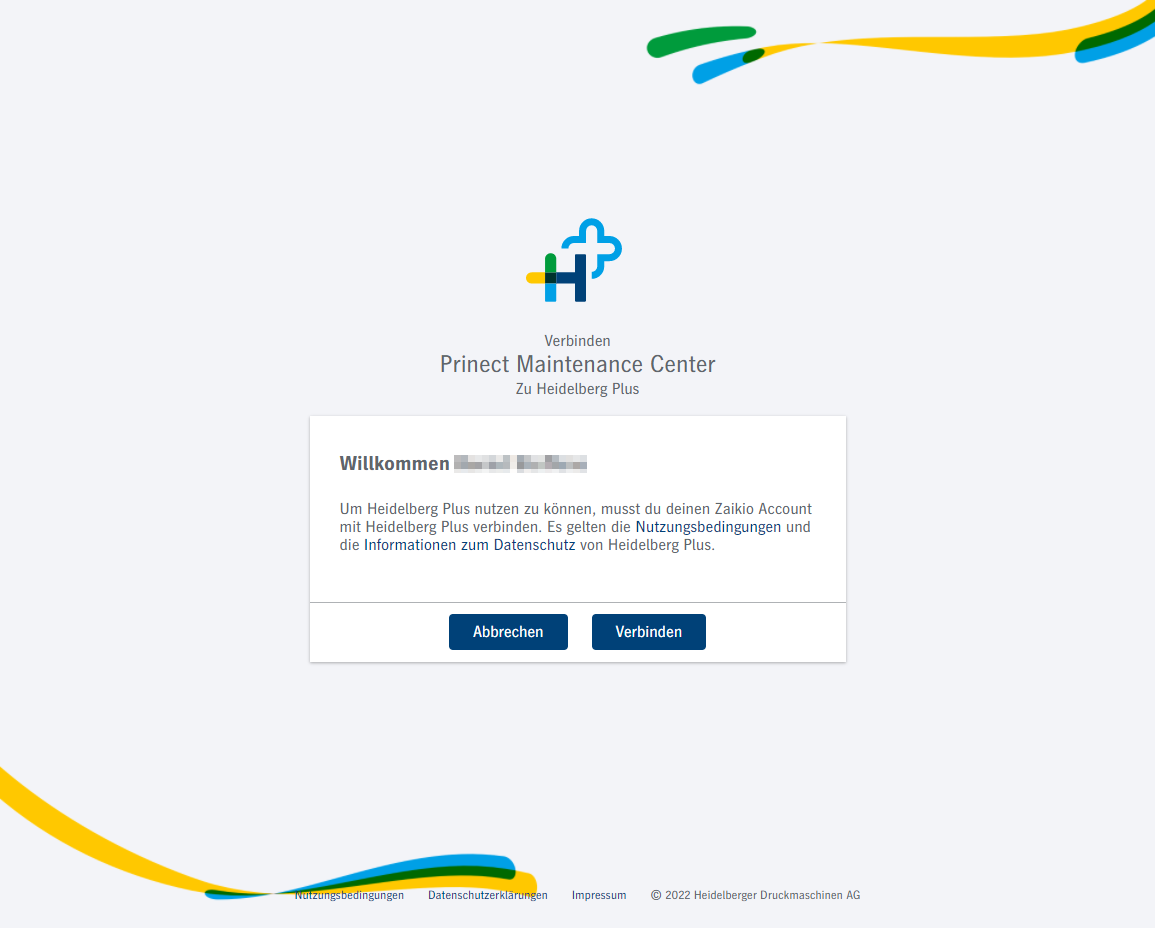
Click "Connect". Now you need to grant the required permissions:

5.Click "Consent and Continue". The next view will show your login data again. Confirm this view.
6.The sign-up process is now complete.
Privacy Policy | Imprint | Prinect Know How | Prinect Release Notes