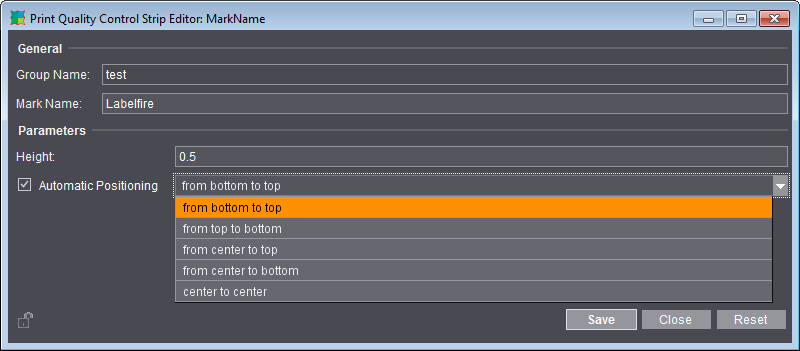
Print Quality Control Strip Editor
Use this editor to create a print quality control strip for Heidelberg inkjet digital presses. The print control strip lets you localize any nozzles that have failed in the print heads. Print control strips do not have any content but simply specify the position for the nozzle test (see also Print Quality Control Strip).
For a description, see the "Editors for Marks, Color Control Bars and Ink Pickup Bars" section.
•Loading the 'Marks' Resource to the Job
You can only set the height of the print control strip and the direction of automatic positioning:
•"Height": The control strip always extends along the full width of the paper. For that reason, you can only change the "height" of the control strip.
•"Automatic Positioning": The control strip is positioned automatically to the next free position. The search direction determines where the search starts:
- "from bottom to top": starting from the lower edge of the paper upwards
- "from top to bottom": starting from the upper edge of the paper downwards
- "from center to top": starting from the center of the paper upwards
- "from center to bottom": starting from the center of the paper downwards
- "center to center": A position is looked for starting from the center of the paper upwards and downwards.