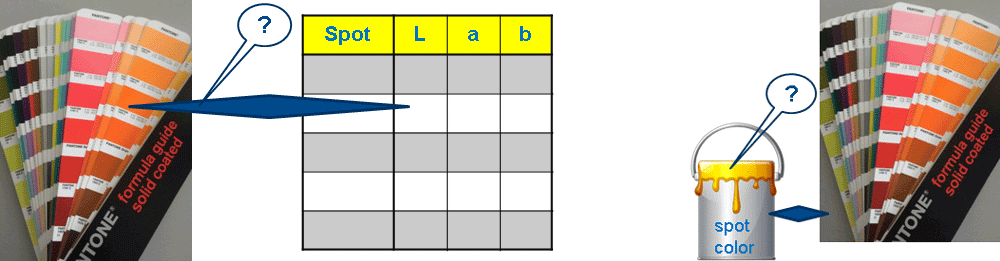
Measuring and Evaluating Spot Colors
Various issues can occur in the field when working with spot colors:
•Deviations between the spot color fan and the spot color Lab table
•Deviations when a paint pot from a new batch of the spot color is used
•Differences between the color fan and the print because the color data depend on the printing material and the material used in print is almost always different to that of the color fan.
To answer these questions, you must measure and evaluate the current spot color.
Other items to remember are:
•Is the current spot color within the gamut of the current process/profile?
•Can it be replaced by the process/profile and in what quality?
•What process stability does the spot color have in print?
Measurement and Evaluation of a Spot Color with the Color Calculator
The following items must be remembered during evaluation, depending on the presses available in your shop:
•How big is the difference between the actual print result and the desired reproduction of the spot color in a print using available color material (paint pot) on the target printing material?
•Can the spot color be replaced by CMYK or, when required, by Muticolor (5c, 6c, 7c) and what deviations are there in this (important in digital printing, for example)?
The analysis results can help you decide which print process is best suited on which machine for a job or whether the supplied paint pot batch of a spot color can be used.
The "User_Spot_PW.ref" color data file is available in "User defined" for measuring and evaluating spot colors.
The file consists of two color patches:
•the patch for the spot color you will measure
•and the patch for paper white (PW) of the printing material

Note: It is mandatory that you measure paper white because color values are meaningless if you do not know anything about the material on which they will be printed.
Two options for evaluating the spot color are available to you in the "Color calculator":
•"Calculate color values" lets you analyze how well the measured color can be replaced by a CMYK print process or with Multicolor.
•"Compare color values" shows you how far off a measured spot color is from the matching value in the color table/color fan and consequently from the desired result.
In the "Video Tutorials" section, we will show you how to measure a spot color and use the color calculator for a comparison with the color table to analyze whether the spot color (paint pot) can be used at all. Part 2 shows you how you can use the color calculator to determine whether it makes sense to replace the spot color by CMYK or, if necessary, by Multicolor.
•To assess whether a new batch for a spot color can be used
•To determine how well a spot color can be replaced and which process will be used (Replace a Spot Color or Not)
You will find details about the color calculator in the following sections:
•Color calculator (functions, spot color evaluation, manual copying of color data)
•Color calculator > Calculate color values
•Color calculator > Compare color values