
"Plate Reuse Simulation" Option
In jobs that reuse plates, errors in the data may not be seen in the normal proof. These errors can be seen by proofing using the "Plate Reuse Simulation" option. Jobs that are to be produced with versions, for example, can have data that are not suitable for a versioned output. Errors in the print run can occur if such issues are not detected despite preflighting and are not seen in the proof. This is to be avoided by proofing using the "Plate Reuse Simulation" option.
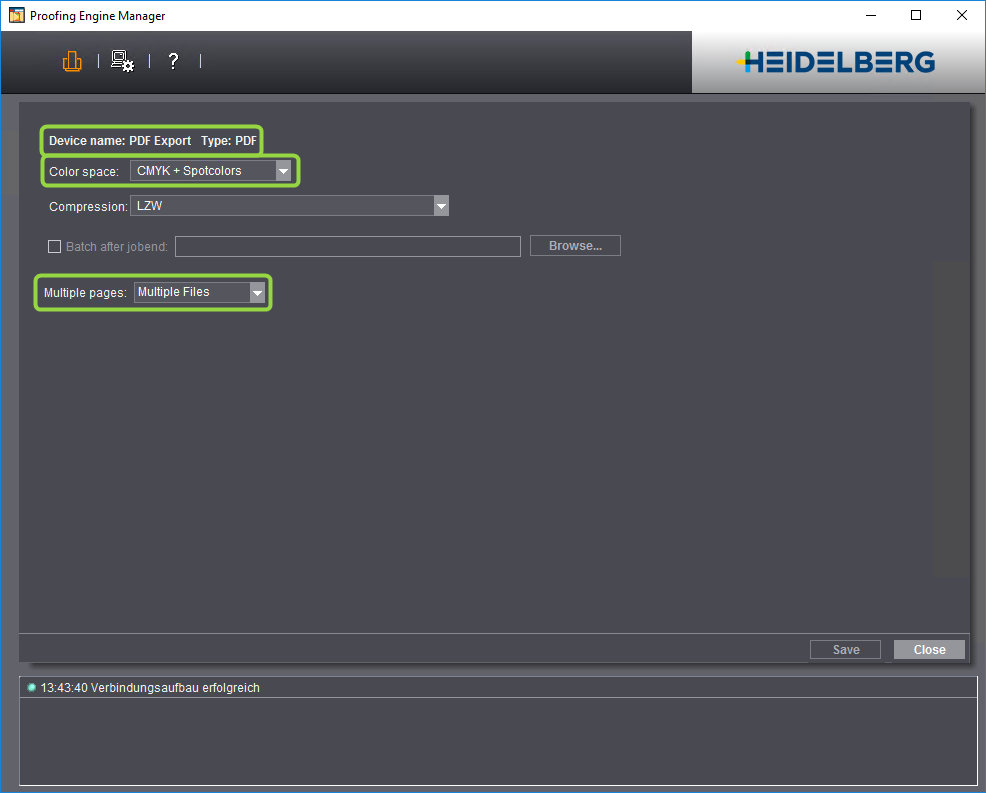
Prerequisite: The "Plate Reuse Simulation" option is available only if a PDF export device with "Color space: CMYK + Spotcolors" and "Multiple pages: Multiple files" is set up in the Proofing Engine Manager.

Basic procedure of plate reuse simulation
Plate reuse simulation runs in two steps:
•First, an imposed sheet is calculated for the "PDF Export" device. Special "Rendering", "Sheet Preview Generation" (optional) and "File Output" steps are used for calculation of this sheet. These steps also display when you enable "Plate Reuse Simulation". The "Color Conversion", "Marks Replacement" and "InRIP Trapping" options now also impact sheet generation and not proofing directly. The "Rendering" option is needed to calculate all the separations of the sheet. A sheet PDF file with separations is the result.
•In the next step, the calculated sheets are output as "ImpositionProofs" to the selected proofer. In this proof, you can detect in advance errors that would only be visible during the print run.
Setup of plate reuse simulation
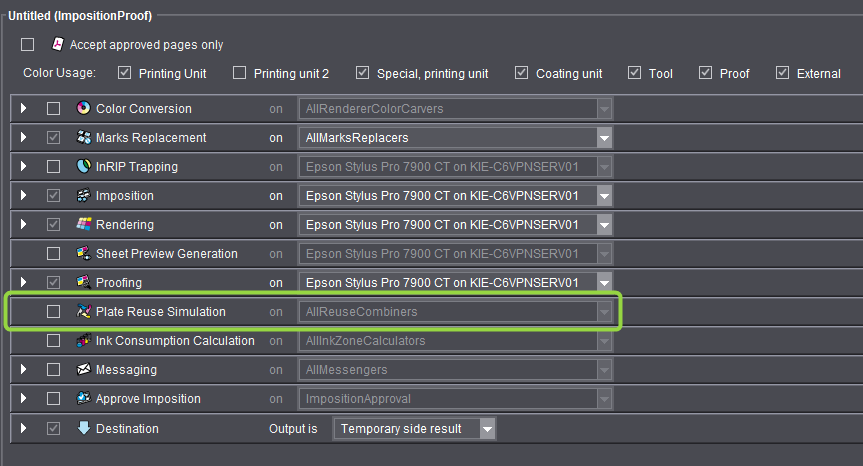
The options available in the ImpositionProof sequence change when you enable "Plate Reuse Simulation".
Options available without "Plate Reuse Simulation":
Options available with "Plate Reuse Simulation":
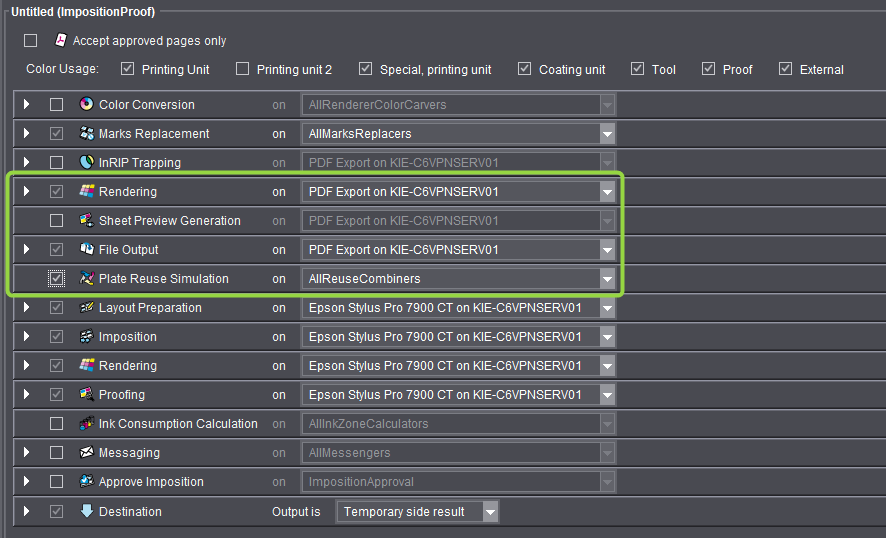
The "Imposition" option is moved to a position below "Plate Reuse Simulation". In addition, the "Layout Preparation", "Rendering" and "Proofing" options also display. The options above "Plate Reuse Simulation" are used for generating the sheet PDF documents.
Setup of the options highlighted by a frame in the illustration is described in the following pages:
The options below "Plate Reuse Simulation" are used for proofing.
Proceed as follows to set up plate reuse simulation:
1.Enable "Plate Reuse Simulation". The system automatically switches over to "PDF Export" output for "InRIP Trapping", "Rendering" (upper variant), "Sheet Preview Generation" and "File Output". In addition, additional options for sheet calculation display or are resorted.
2.Now select the proofer that will be used for ImpositionProof in the "on" list box for "Layout Preparation". The "Imposition", "Rendering" and "Proofing" options below automatically switch over to this device.
3.Now set up the following options that are below "Plate Reuse Simulation": "Layout Preparation", "Imposition", "Rendering" (lower variant) and "Proofing" (or "File Output" if you wish to output to a soft proofer later), if required "Messaging" and "Approve Imposition".
4.Now set up the remaining options and options of the ImpositionProof sequence. This setup impacts PDF Export output.
5.Save the ImpositionProof sequence, preferably using a descriptive name (e.g. by adding "_Simulation").
The ImpositionProof is printed with the pages taken from the sheets when you use this sequence in a job.