
Privacy Policy | Imprint | Prinect Know How | Prinect Release Notes
In "Administration > System", you can manage the engines and the Cockpit-integrated functional elements of Prinect Production.
 Note: You can only operate the "System" section only if you are logged on as a user with corresponding administrator rights. The "System" section cannot be seen if you do not have these permissions.
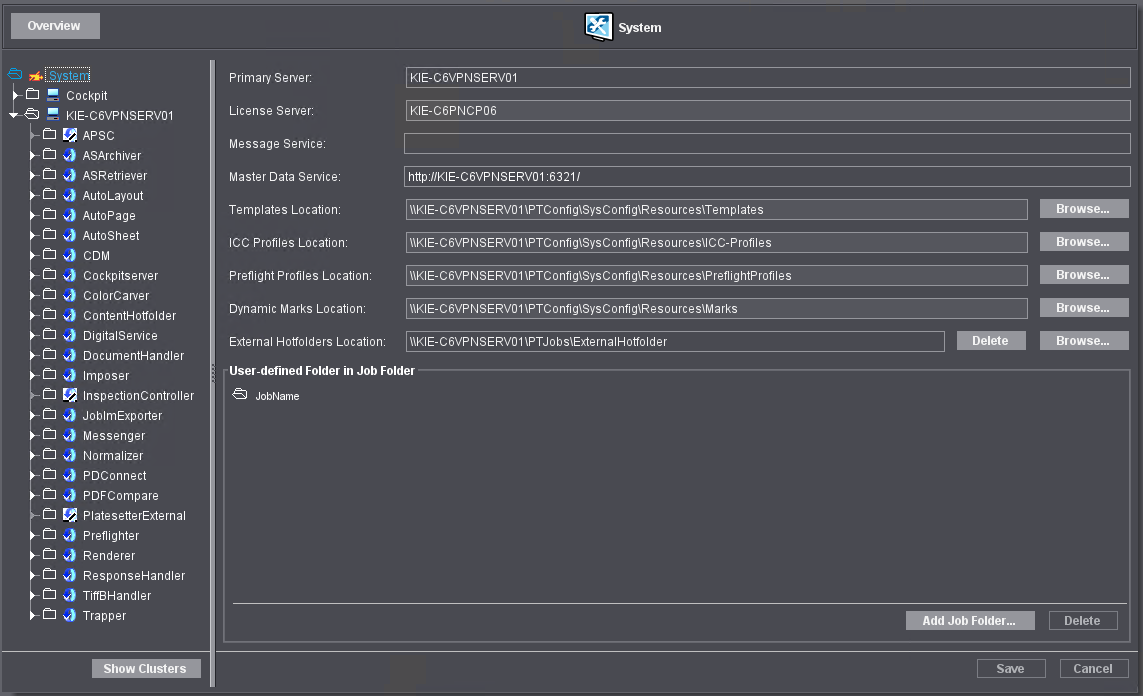
The left part of the "System" section displays the engines that are located in the system environment of Prinect Production in a tree structure. You can view the single engines by expanding the structure nodes. The following engines are found in a standard configuration:
Engine | Function |
|---|---|
APSC | "APSC" stands for "Automatic Paper Stretch Compensation". In this case, this is the internal engine for automatic paper stretch compensation (Administration > Paper Stretch Compensation). There is an additional stand-alone application for automatic paper stretch compensation. |
ASArchiver | The Prinect "Archiver" engine for archiving jobs. |
ASRetriever | Engine for retrieving archived data. |
AutoPreset | Engine for generating press presets and sheet preview. |
AutoLayout | Engine for automatic imposition and layout preparation. |
AutoPage | Engine for automatic page list output. |
AutoSheet | Engine for automatic sheet output. |
CDM | The Central Device Manager. This is where offset and Labelfire digital presses or finishing machines, for example, are set up. |
CockpitServer | Makes internal services for job processing and administration available. |
Color Carver | Controls the Prinect color management. |
ContentHotfolder | Controls the hotfolder mechanisms in Prinect Production. |
DigitalService | Engine for controlling digital presses except for Labelfire 340 and digital presses controlled by a Data Terminal. These are set up in the CDM. Digital presses are set up and managed in the Administration are "Digital Presses". See Digital Presses. |
DocumentHandler | Engine for the document-specific processing of PDF files. |
Imposer | Engine for marks replacement and generation of PDF files for sheets and booklets. |
InspectionController | If one of the presses in the system environment features an InspectionController, you configure the connection to the Prinect workflow here. |
JobImExporter | Engine for the import and export of jobs. |
Messenger | Engine for sending e-mails, among other things for proof approval. |
Normalizer | Engine for normalizing PDFs in Qualify sequences. |
PDConnect | Connection management, for example to Prinect ImageControl or Package Designer. |
PDFCompare | Engine for the comparison of edited and unedited (original) PDF documents. |
PlatesetterExternal | CTP devices from other manufacturers can be set up and configured here. See Add External CTP Device. HEIDELBERG CTP devices are set up in "Renderer". |
Preflighter | Preflight engine in Qualify and Prepare sequences. |
Renderer | The Renderer engine processes all proof, CTP and digital print outputs. |
ResponseHandler | Engine for processing customer approvals. |
TiffBHandler | Engine for connecting Prinect Shooter workstations and/or third-party imagesetters via TIFF-B files. |
Timer | Engine for running time-controlled and condition-controlled actions. |
Trapper | Trap engine (spreading). |
If you click an element in the tree structure, the accompanying setup options are shown on the right hand side in the dynamic section of the tab.
This is where you can view the settings for the engine types and the parameters of the individual engines and edit the engine clusters.
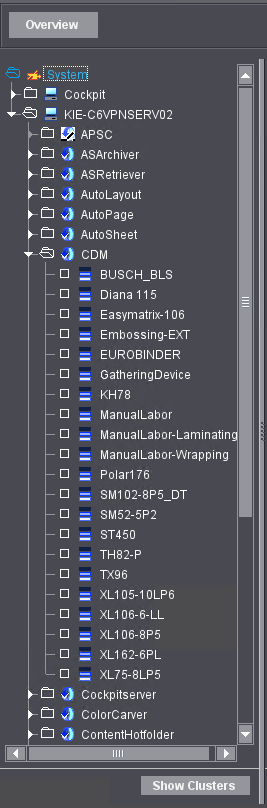
State icons of the engines
| One of more engines of this type are available. |
No engine of this type is licensed. | |
| An engine of this type is not available (not started). |
Note: The following applies only if Prinect Portal Services is installed: A root alias is entered automatically for each Prinect Portal Services server using the name of the data exchange area ("EXCHANGE"). This gives the "prinect" user or the engines of Prinect Production access to this area.
Privacy Policy | Imprint | Prinect Know How | Prinect Release Notes

