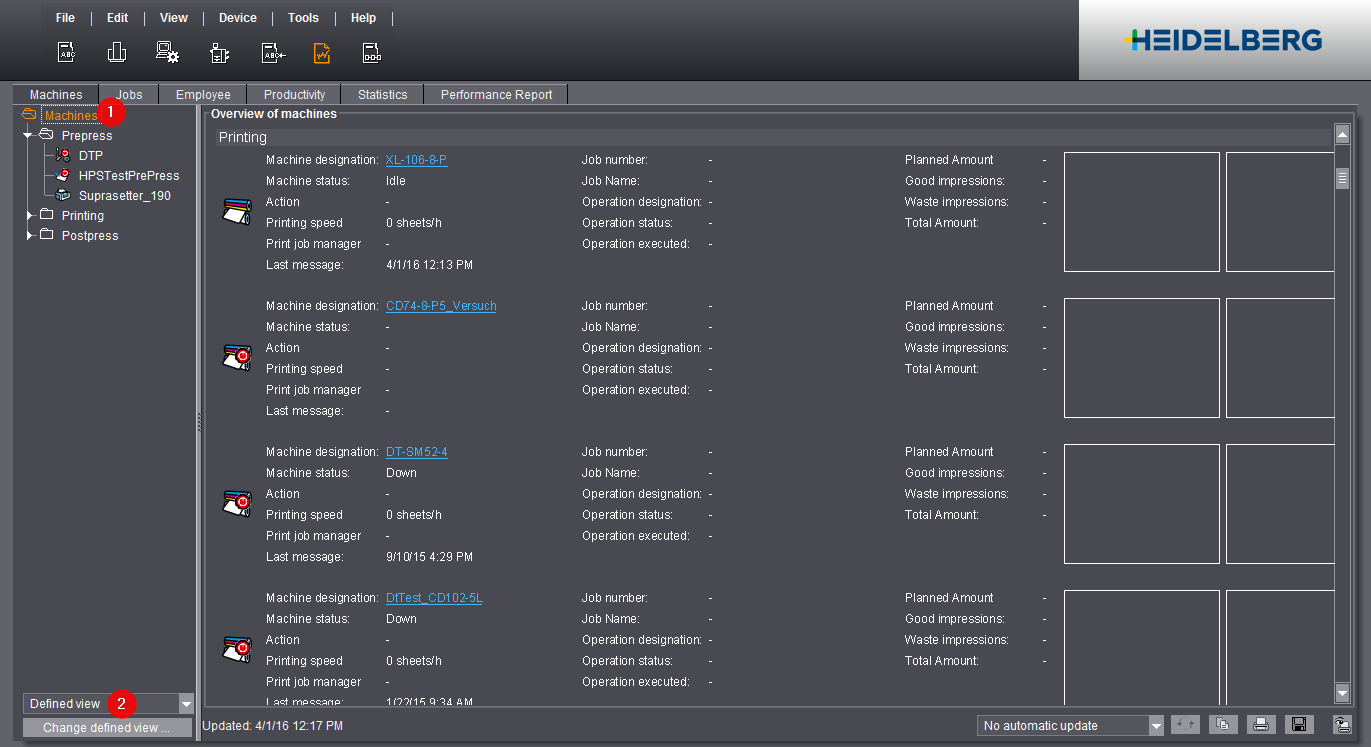
The machine report gives you a quick overview of the connected machines with information about the current status of the machine and details about times, quantities, speed and quality.
The machine report has the following view options and functions:
•Machine Overview of all the connected machines with the current machine status and the current job status.
•Separate evaluation of each connected machine with the following reports:
You can find details about configuration and operation of the machine reports in:
•Filtering the machine report display
•Configuring the machine report view
You can configure and save a custom view.
If the machine is marked with a red cross, no message has yet been received from this machine or the machine status is currently "Down".

This symbol appears if a message has already been received from this machine and the machine status is not "Down".
The "Overview of machines" gives you a quick overview of the connected machines. You can see the machine status and job status at a glance.
1.Click the top level, "Machines" (1).
All the connected machines, together with machine information and job information, are displayed in the way selected. You can choose between various view modes and customize your own view mode (2).